How I Tested Planable
I went into Planable expecting client approvals to be the main story. They were strong, but they were not the feature that defined the test.
I worked through the calendar, the composer, AI idea generation, scheduling, the media library with its Canva connection, AI-generated ALT text, the approval controls, the hide-from-client settings and the My Approvals area, all with a connected Facebook page. I also opened Analytics, Social Inbox and Social Listening to see how they fit, but those require paid add-ons, so I researched their deeper capabilities rather than treating them as hands-on results.
That shaped how I judged it. Instead of asking whether Planable can schedule a post, I looked at how it handles everything around the post: creating it, organising it, reviewing it, deciding who can see it, approving it, and only then publishing.
The Calendar Felt More Like a Working Board Than a Date Picker
The calendar was the first part I found genuinely useful, because it showed several parts of the workflow at once. I could switch between Month and Week, create either a Post or a Note inside a date, filter the view, open the media area and request approvals from the same screen. Planable also surfaced a Best Time to Post recommendation directly in the date cell.
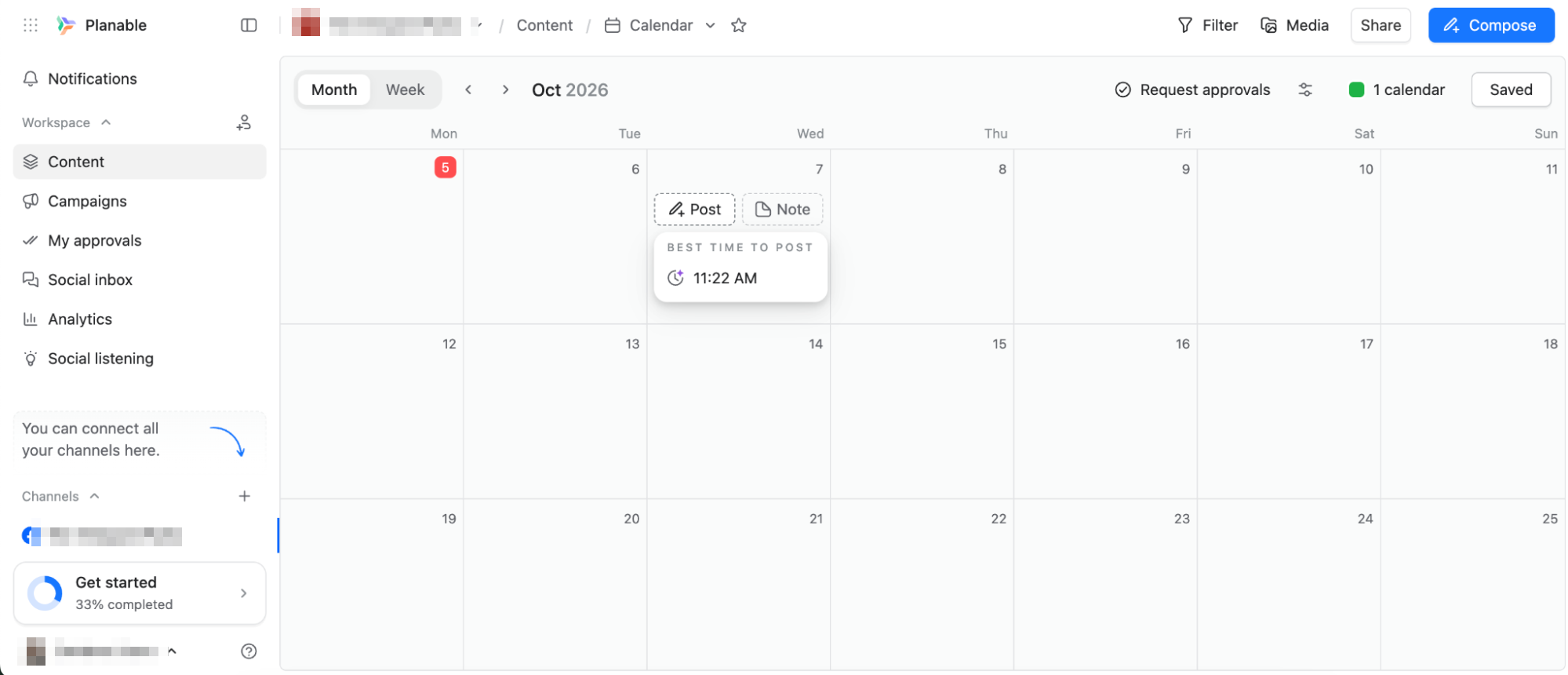
That detail made the planning view more useful than a blank grid. I did not have to leave the calendar, open analytics, find an audience chart and come back just to decide whether a time slot made sense.
It is still familiar enough that anyone coming from another scheduler would understand it immediately. What felt different was how many review and collaboration controls sat around it. In SocialBee, the calendar felt secondary to the content-category system. Planable moves in almost the opposite direction: the calendar stays central, but it is surrounded by tools that make content feel unfinished until the right people have seen it.
Notes are useful because not everything on the calendar is a post
Planable also lets you add Notes directly to the calendar. That sounds minor, but campaign planning involves more than scheduled posts. A team may need to mark an event date, a client deadline, a launch day, a design handoff or an approval checkpoint without turning it into a fake social post. Keeping those beside the content makes the calendar work as a shared workspace.
The Composer Was Simple, but Built for More Than Writing
The composer is uncluttered. I could choose between Post, Story and Reels, then reach Templates, Campaigns and Labels from the top. Media, GIFs, links, comments, location controls and scheduling were all available without the interface feeling crowded.
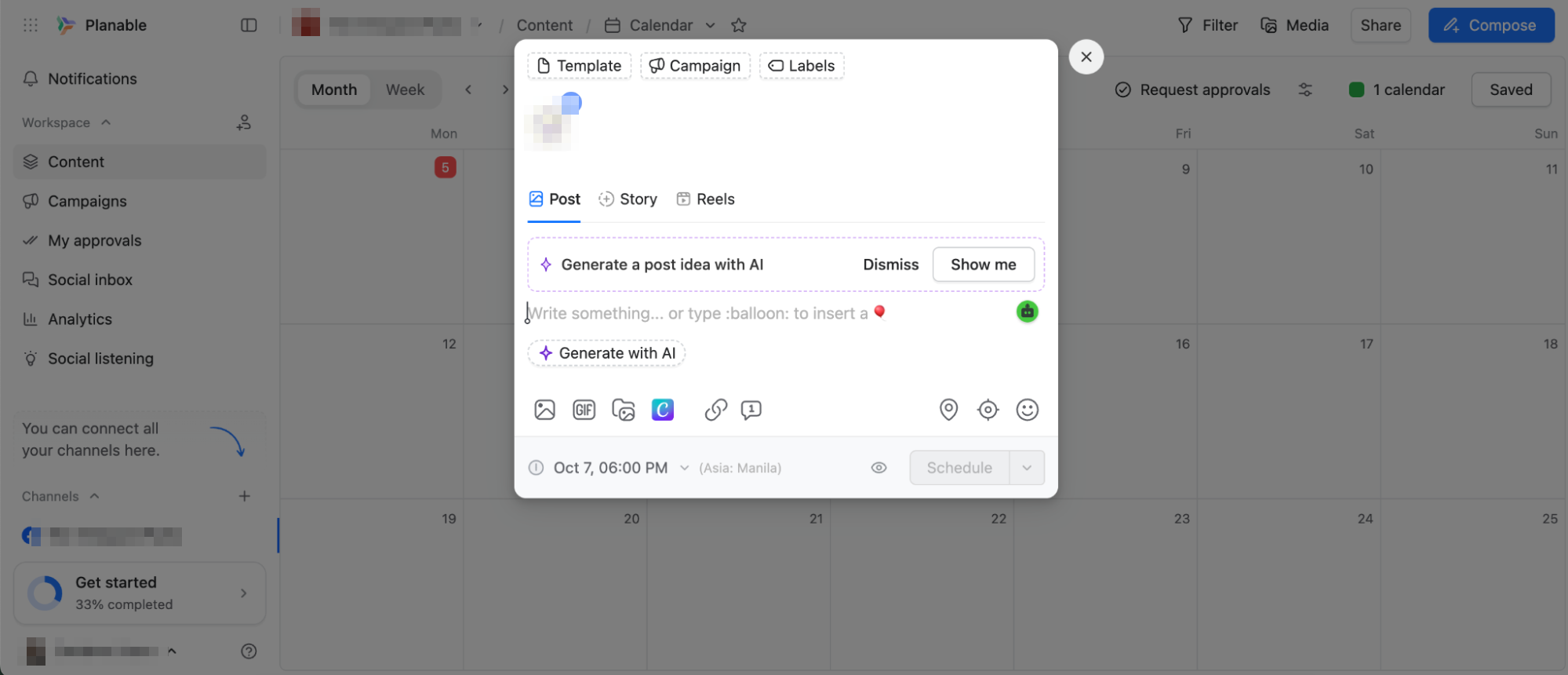
The interesting part was not the number of publishing controls, since most tools cover those. It was how early Planable treats the post as something other people will review. Campaigns and labels organise it, the media library keeps assets nearby, approval controls sit on the calendar, and client visibility can be changed later. The post never feels like a finished object waiting to be scheduled. It feels like part of a process.
The AI Was Better as a Starting Point Than a Final Caption
Rather than forcing me to start from a blank prompt, Planable offered to generate an idea inspired by previous posts, produced a caption, and gave me Retry and Accept controls.
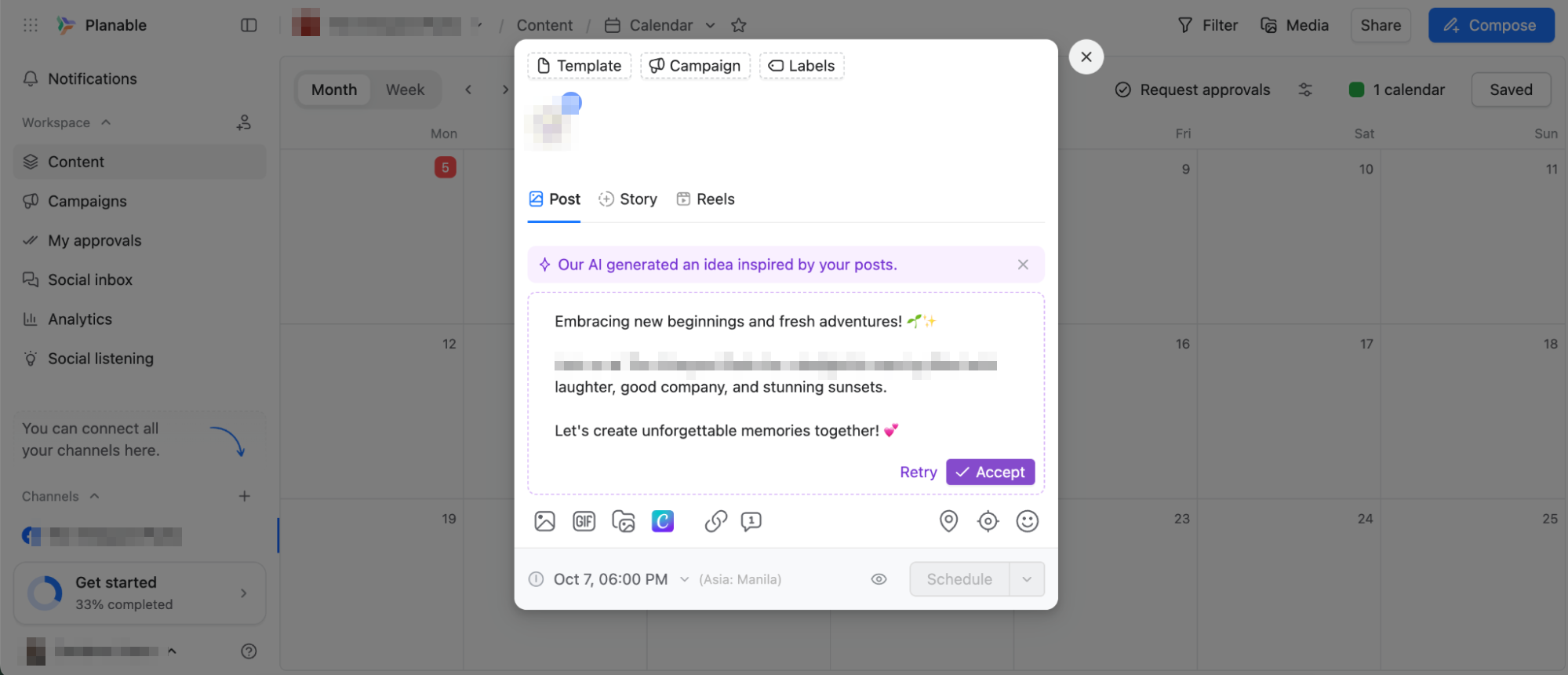
The result was usable but generic enough that I would rewrite it before sending it to a client. That does not make the feature useless. It gave me a decent first draft quickly, which is usually the hardest part when the calendar is empty.
In SocialPilot the AI assistant also worked best as a starting point rather than finished copy. The difference here is that Planable keeps the AI close to the review workflow. Once the draft existed, I was already inside the environment where it could be edited, reviewed, approved and scheduled, which makes AI feel like one step in the process rather than a separate feature.
The Media Library Was More Useful Than I Expected
The Media Library gives teams a central place to store images, videos and GIFs. I could upload files directly, connect Canva, sort assets, filter them and create folders.
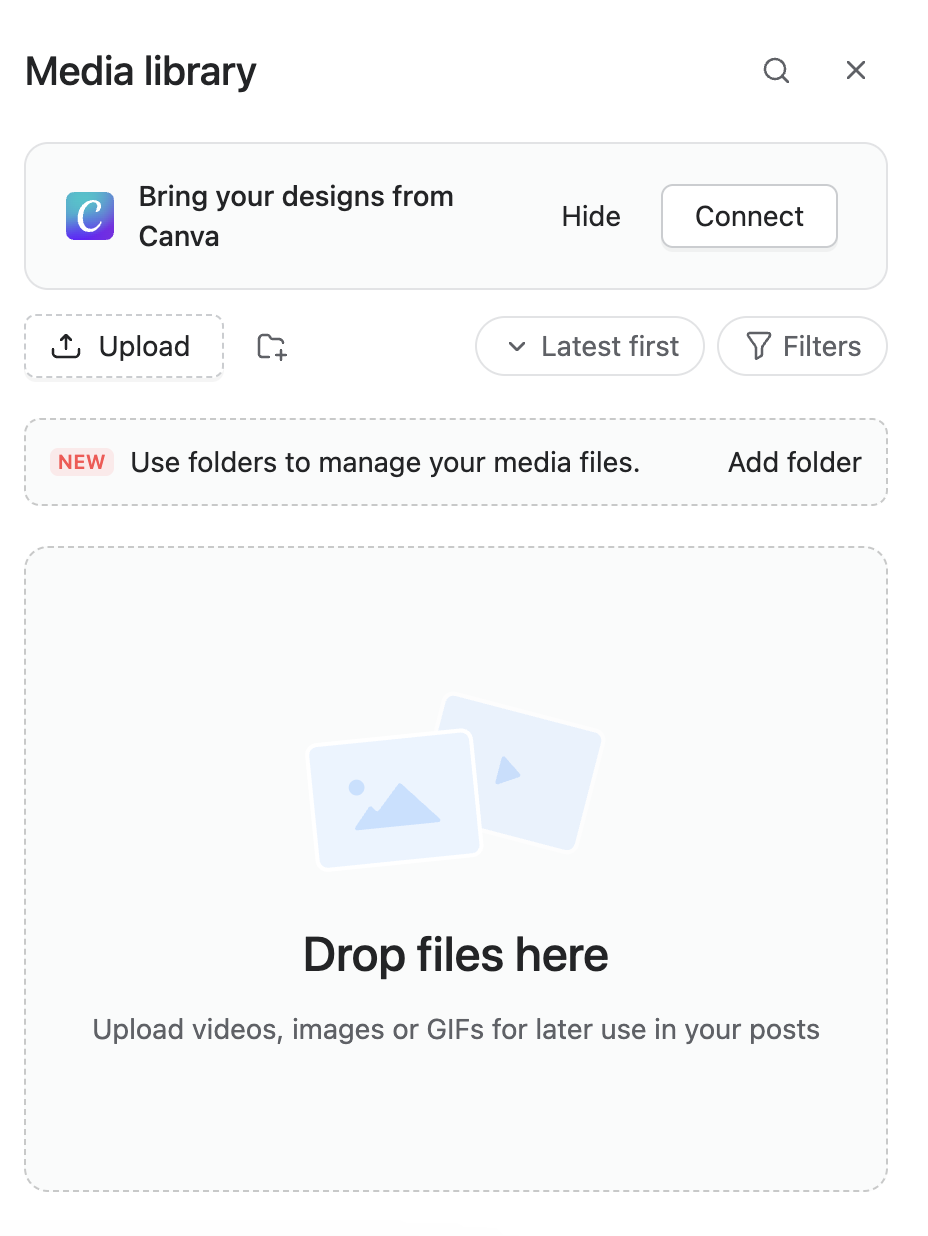
Folders matter more once several campaigns or clients are involved. A small team can survive on one shared Drive folder and good naming. An agency working across many brands eventually needs real separation, and Planable’s workspace structure handles that without forcing another tool into the stack.
AI-generated ALT text was one of the better small features
After I uploaded a graphic, Planable suggested ALT text for it, with options to retry or apply.
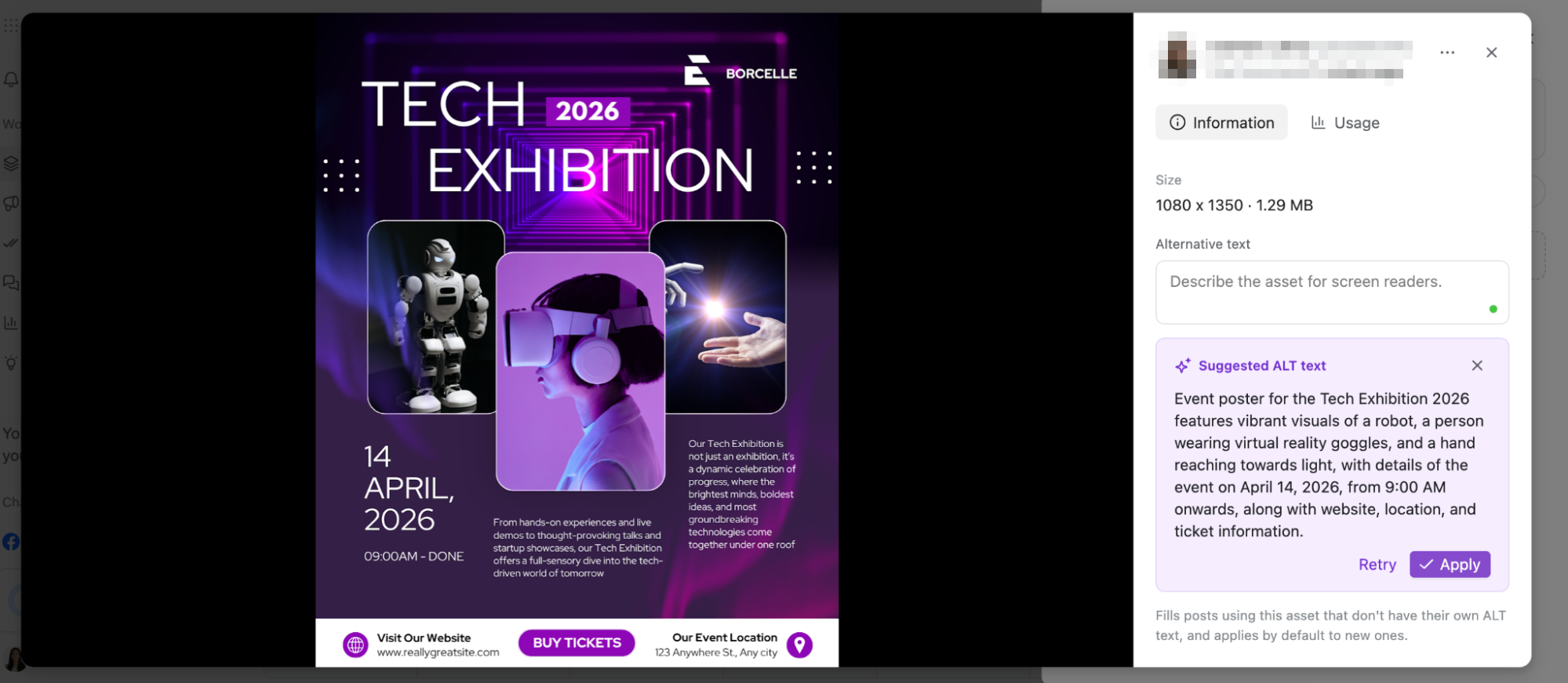
I liked this mainly for accessibility. ALT text gives screen-reader users a description instead of leaving the image without context, and having it suggested inside the media workflow makes it far likelier to get written at all.
The suggestion still needs a human check, especially when an image contains text, product details or context the model may miss. I would not treat AI ALT text as an SEO shortcut, but as a workflow feature it is smart: it makes descriptive metadata easier to add consistently without another step outside the platform.
The Approval Controls Were Strong, but Not Isolated From the Product
Approvals were still one of the strongest parts of the test. After scheduling a post, its calendar menu offered Request approval, Approve post, Unschedule post, Publish post now, Hide from clients, Archive post and Repost.
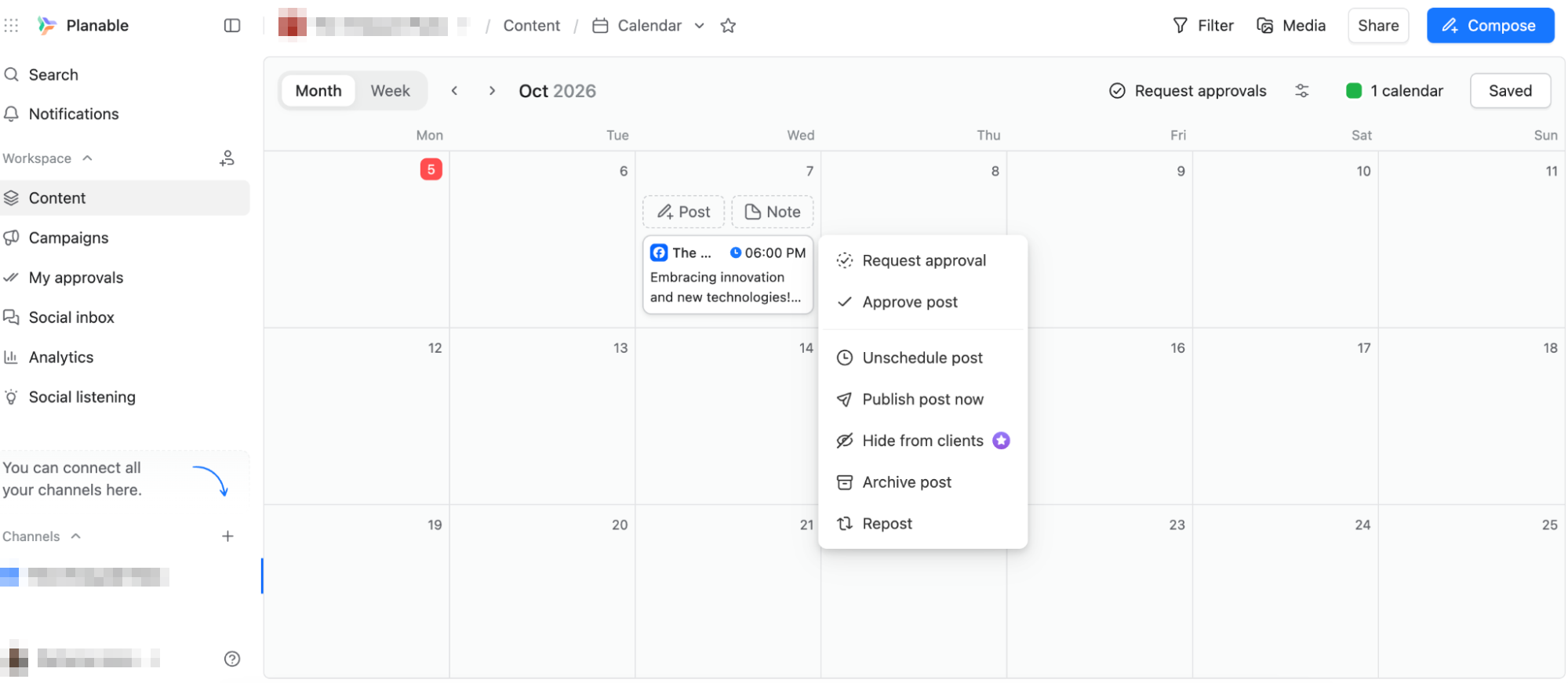
This is where the approach becomes clear. Approval is not a separate admin process bolted to the end of publishing. It sits beside the normal actions that decide what happens to the post. Sendible, the previous tool we tested in our Hands-On Reviews, also kept approvals inside the composer. Here they sit closer to the centre of the product.
The Hide from clients option was especially telling. Agency teams often need to discuss a post internally before a client sees it, while a strategist is still changing wording and a designer is still adjusting the asset. If the client sees every unfinished version, approval gets more confusing rather than less.
My Approvals Was the Clearest Part of the Review Workflow
My Approvals may be the simplest screen in Planable, but it explains the product well. The dashboard separates content into three states: Awaiting approval, Feedback left, and Approved.
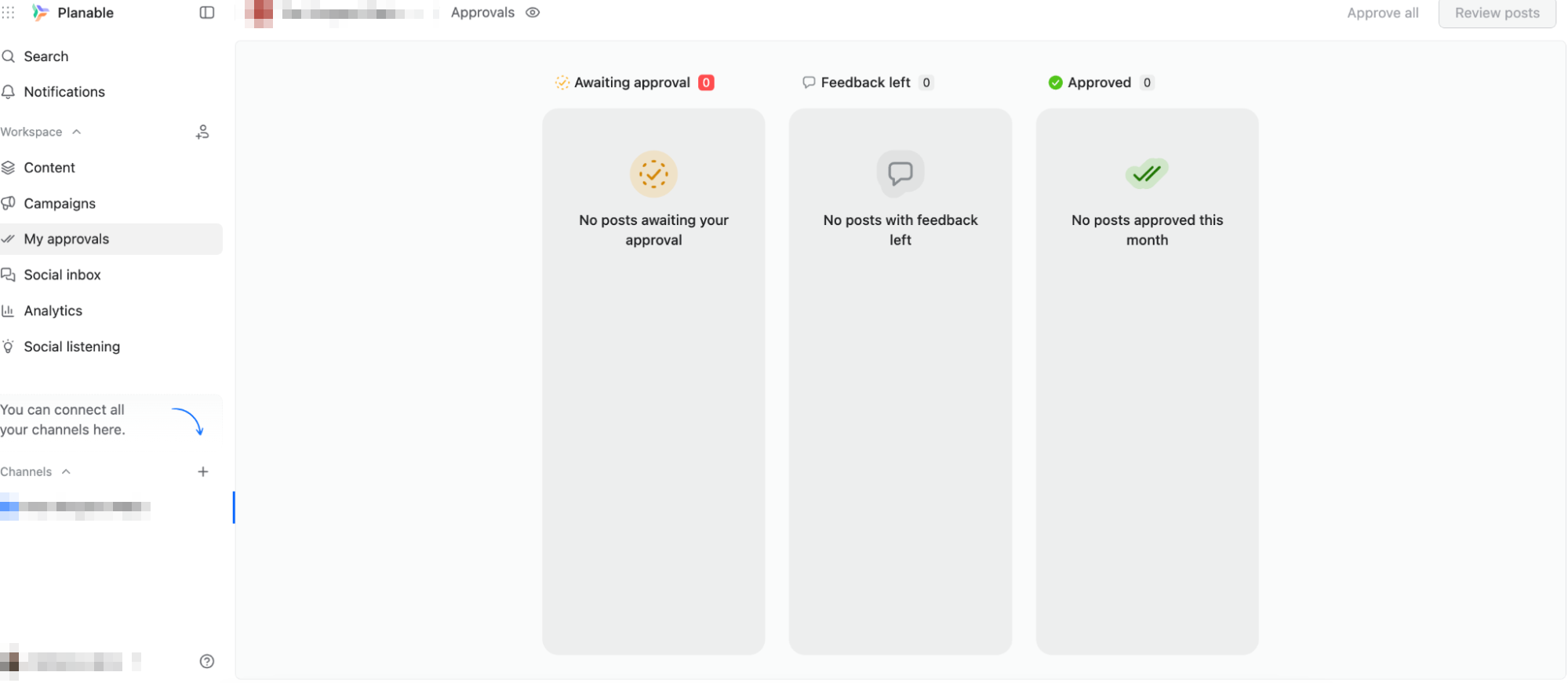
That removes a very common agency problem. Nobody has to remember whether the client approved Tuesday’s post by email, Slack, WhatsApp or a comment thread. The approval state belongs to the content itself.
Multi-level approval is where larger teams start to make sense
For a small business, one approval is enough. For a regulated brand, marketing, legal and compliance might all need to sign off, and an agency may want an account manager to approve internally before the client sees anything.
Planable documents required approval, which can block publishing before signoff, and multi-level approvals that run in sequence. I researched those rather than testing them, since they depend on plan and workspace setup, but they fit what I saw in the interface. Loomly, which I tested later, puts approvals inside a wider workflow with Zero, Lite and Original setups.
Campaigns, Labels and Views Add Structure Before Approval
Campaigns, Labels and Templates sit in the composer. They are less eye-catching than approvals, but they organise content before it reaches review. Labels separate content pillars, campaign types or funnel stages. Campaigns group content around a launch. Templates reduce the work for recurring formats.
I did not build an extensive template system during this test, so I would not make it the headline. But the placement matters: a post is not just copy plus media. It belongs to a campaign, carries a review status and may need particular people to approve it.
Planable also supports Calendar, Feed, Grid and List views depending on plan and content type. That is more useful than simple interface preference. A social media manager may want the calendar because timing is the priority, a client may prefer the Feed because it resembles what they expect to see, a visual brand may care about Grid because individual posts can look fine while the overall feed does not, and a manager reviewing dozens of posts may want List because it is faster to scan.
Best Time to Post appearing in the calendar belongs in the same category. In Agorapulse, recommended publishing times also appeared directly in the scheduling workflow. Both beat a generic best-time chart that makes you carry the insight back to the calendar yourself. I would still treat any recommendation as guidance: campaign deadlines, events and the purpose of the post can all outweigh historical engagement.
Social Inbox, Analytics and Listening Are All Add-Ons
Three areas sit in the navigation but need separate paid add-ons. I opened each and researched the rest.
The Social Inbox organises Comments and DMs with statuses and actions such as Mark as done.
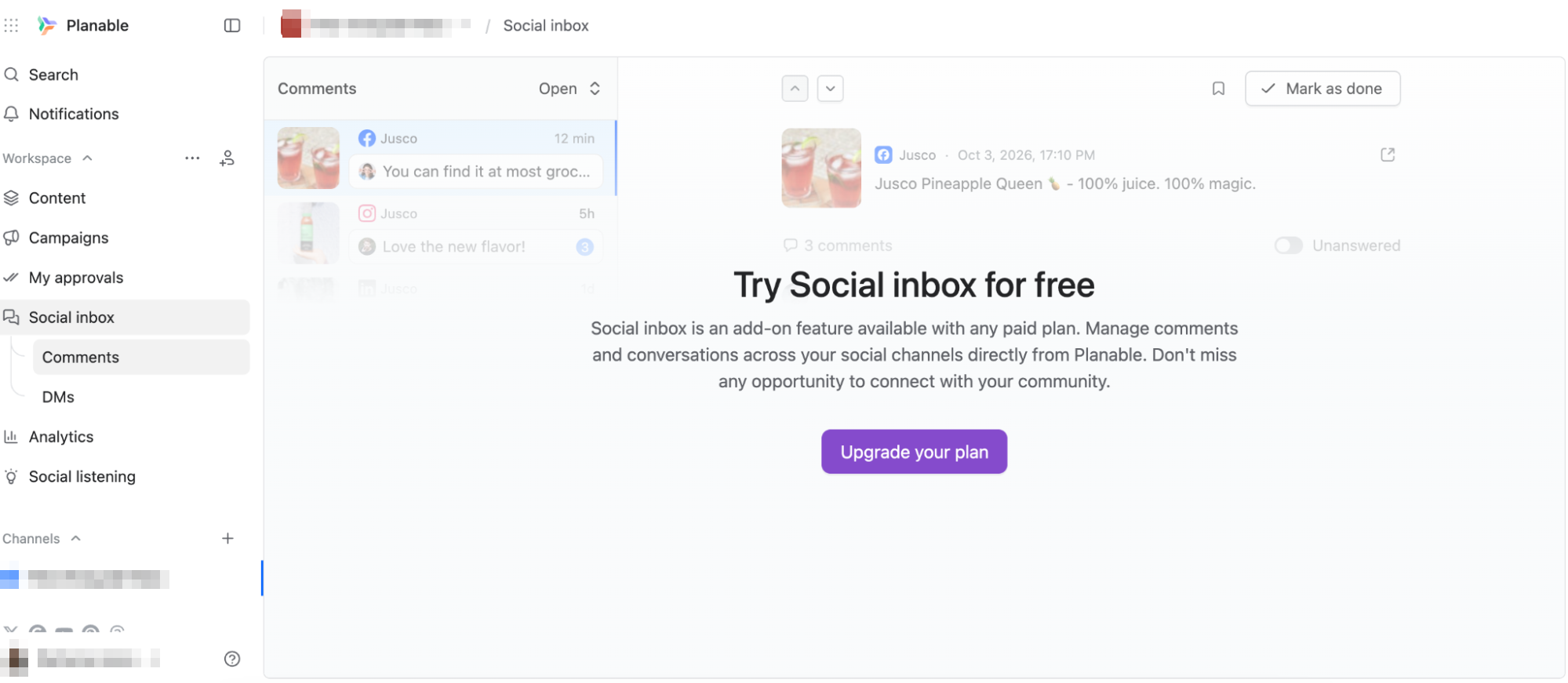
It broadens Planable beyond creation and approval, but I would not call it the strongest differentiator. Agorapulse was built around engagement ownership, assignments and community management, and its Inbox felt far more central. Planable’s feels like an extension of the collaboration workspace, which is not a criticism so much as a different reason to buy.
Analytics showed Followers, Posts, Views, Engagements and Page Views, with Overview and Competitors sections.
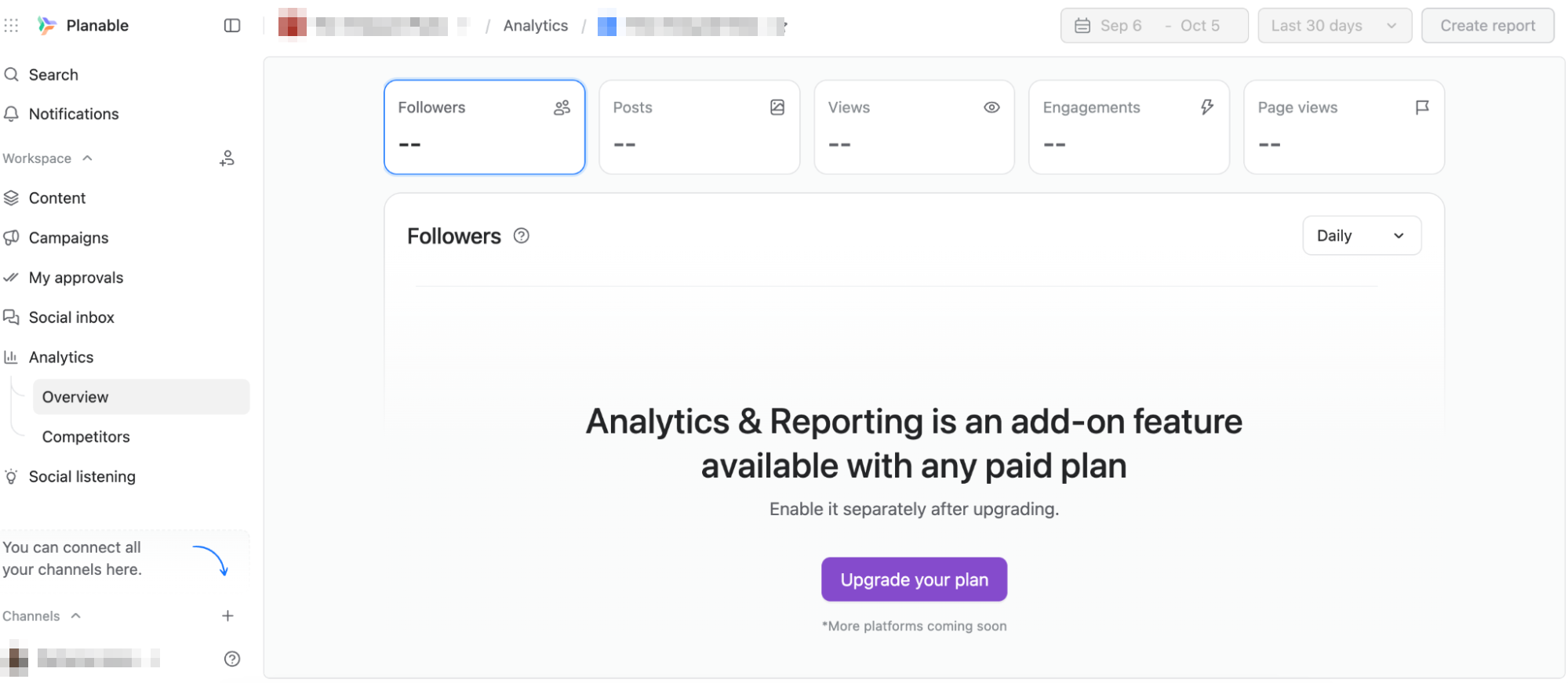
Planable’s documentation describes customisable reports, selected metrics, summaries, public sharing and exports, which is genuinely useful for agencies whose clients already review content here. Still, I would not buy Planable primarily for analytics. In Metricool, analytics and reporting felt central to the whole experience and pushed me from planning into measurement. Planable is strongest earlier in the lifecycle, while content is still being made and approved.
Social Listening surprised me most, with Brand, Topic, Competitors and Alerts sections positioned around awareness, reputation and sentiment.
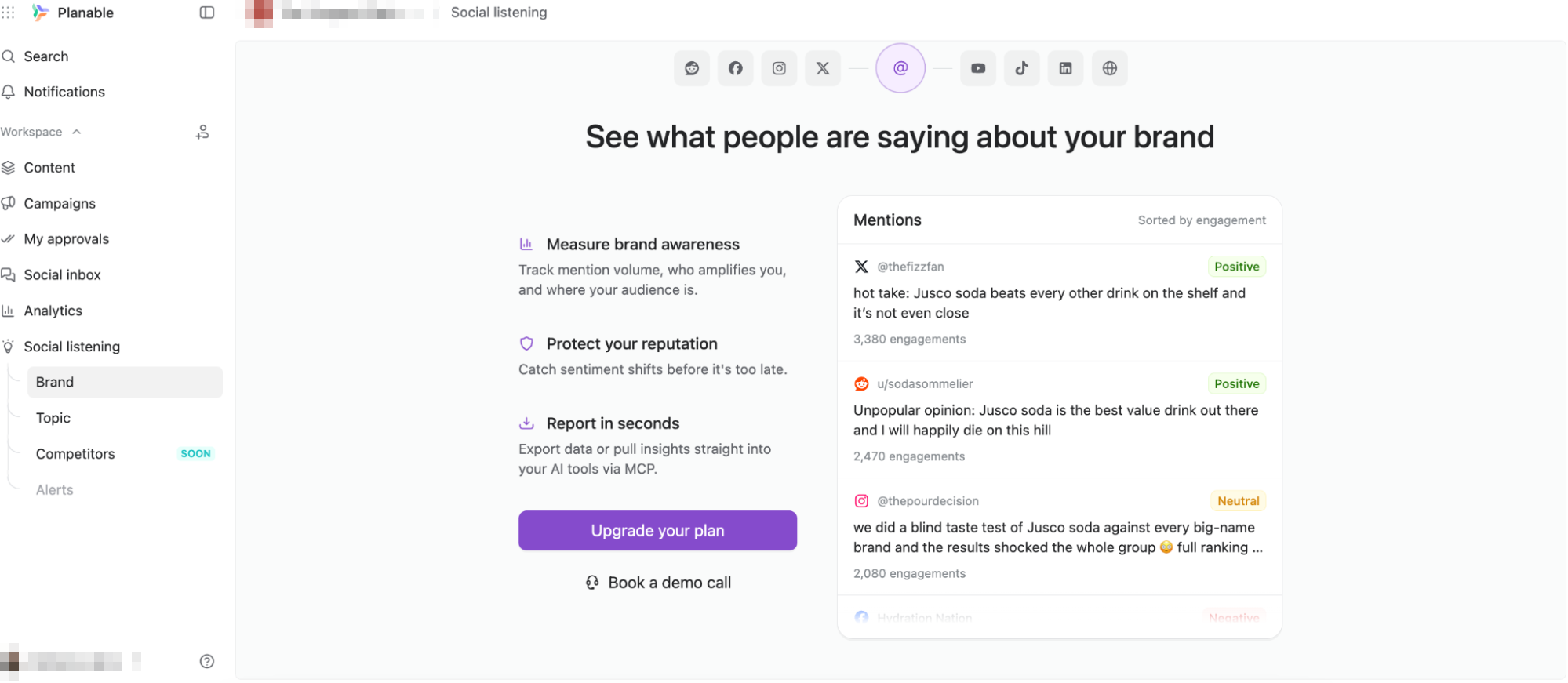
The listening layer monitors public conversations across several social and web sources and surfaces mention volume and sentiment. I would treat it as an expansion rather than the core identity of the platform. It reads like a collaboration product broadening into a fuller social suite. Vista Social, which we tested next, starts from that fuller suite instead, with internal listening included on every plan.
Universal Content Makes Planable Bigger Than a Scheduler
The most interesting feature I researched was Universal Content. Planable is not limited to social posts: the same collaboration and approval workflow covers blogs, newsletters, briefs and other marketing content, with headings, lists, media, embeds and collaborative editing.
That changes the value proposition. If a client already approves social posts in Planable, the same workflow can handle a newsletter or a campaign brief instead of pushing those back into Google Docs, email or another review tool.
Planable also documents version history, annotations, suggestions and internal comments. These are what I would test hardest before rolling it out to an agency, because comments alone do not solve revision chaos. Being able to see what changed, attach feedback to the exact line that needs work, suggest replacement copy and know which version was approved is the difference between collaboration software and a scheduler that happens to support comments.
The Pricing Makes More Sense When You Think in Workspaces
My biggest friction was not the interface. It was seeing useful areas in the navigation and finding that the fuller experience needed separate paid add-ons. Social Inbox, Analytics and Social Listening all extend Planable in sensible directions, but they also change the pricing conversation, and those costs sit on top of the workspace plan.
I understand the logic, since not every team needs all three. It still creates an uneven first impression when the product looks like a complete suite from the navigation while several areas are effectively previews.
Pricing is workspace-based, so it needs evaluating differently from tools that charge per profile or per user. The free plan is useful for testing but caps created posts. Basic and Pro open up the practical workflow, and Enterprise is where the most sophisticated approval structures appear.
That means the real price depends on what Planable replaces. If a team only wants scheduling, the value is hard to justify when cheaper schedulers handle a calendar perfectly well. If it replaces part of the review process, client feedback threads, asset coordination and approval tracking, the calculation changes. I would price it around the full workflow rather than the Schedule button.
Is Planable the Best Tool for Client Approvals?
Approvals are among its strongest features, but that framing undersells it. The pattern I kept returning to was how much work Planable tries to finish before a post reaches publishing.
AI gives the team a starting point. Campaigns, labels and templates give the draft context. The Media Library keeps the creative nearby. ALT text adds accessibility. Calendar recommendations help with timing. Internal and external controls decide who sees the work. My Approvals shows where review has stalled. Version history keeps revisions from becoming guesswork. Universal Content extends the same process beyond social posts. Scheduling almost feels like the final handoff rather than the point of the platform.
I would put it in front of teams where several people touch the same content before it goes live: agencies, in-house marketing teams, brands with formal review processes, and organisations where posts move between writers, designers, managers, clients or compliance reviewers. A solo user still gets the calendar, AI, media organisation and publishing, but most of the collaboration layer would sit unused.
So I would describe Planable as a collaboration-first content workspace rather than an approval tool or a scheduler. The real value is not any single feature. It is how many steps around the content stay connected, so that getting from idea to final version does not lose feedback, assets, context or ownership along the way.