Before signing up, I had already looked through Agorapulse’s website and feature pages, so I knew the platform went beyond scheduling. The product puts a lot of emphasis on Inbox management, Social Listening, reporting, team workflows, competitor benchmarking, and ROI.
What I did not expect was how much guidance Agorapulse gives you once you are inside.
Unlike some social media platforms that simply drop you into the dashboard and leave you to explore, Agorapulse gives you a product tour that walks through the major parts of the system. I found that useful because some of its stronger features are not obvious if you approach it like a basic scheduler.
I also connected a live social account and worked through the core publishing, Inbox, calendar, and reporting workflows. I created and scheduled posts, added notes, selected approval types, used the first-comment option, checked recommended posting times, switched between calendar views, and reviewed reporting data from the connected account.
For the broader Social Listening, competitor benchmarking, and Social Media ROI capabilities, I used Agorapulse’s guided product tour and feature material to understand how those parts fit into the wider platform.
Together, the hands-on workflow and the broader product tour made Agorapulse’s team-oriented positioning much clearer, especially for agencies and larger social teams.
Publishing Already Feels Designed for a Team
The publishing workflow was the first area I tested after connecting my account.
The composer is clean and straightforward. I selected the profile, wrote the caption, added media, chose a date and time, and worked through the Facebook-specific options without much friction.
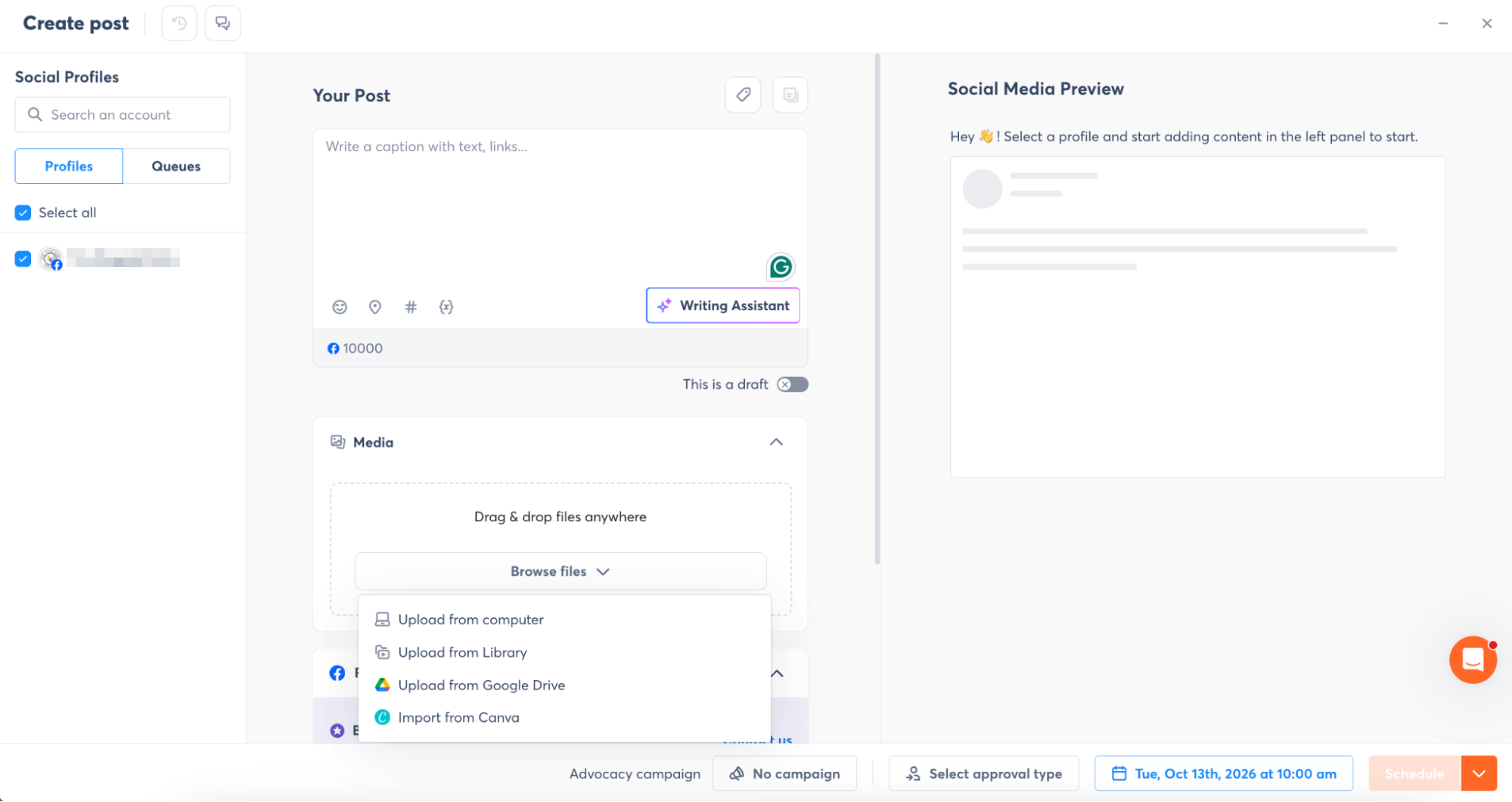
Adding media is simple rather than expansive. I could upload from the computer, use the media library, pull from Google Drive, or import from Canva.
That is enough for most day-to-day publishing, but it is noticeably more limited than Sendible, which offers a much broader asset picker with options like Dropbox, Pexels, Giphy, Flickr, YouTube, and other sources.
Agorapulse feels more focused here. It gives you the common options without turning the media picker into a separate content hub.
The composer also includes a Writing Assistant, which is useful if you want help generating or refining copy without leaving the post editor.
First Comment and Campaign Controls Were Built Into the Post Setup
One thing I liked was that the first-comment option sits directly inside the platform-specific settings.
This is one of those small controls that becomes more useful when several people are managing posts. I do not need a separate reminder to add something manually after publishing.
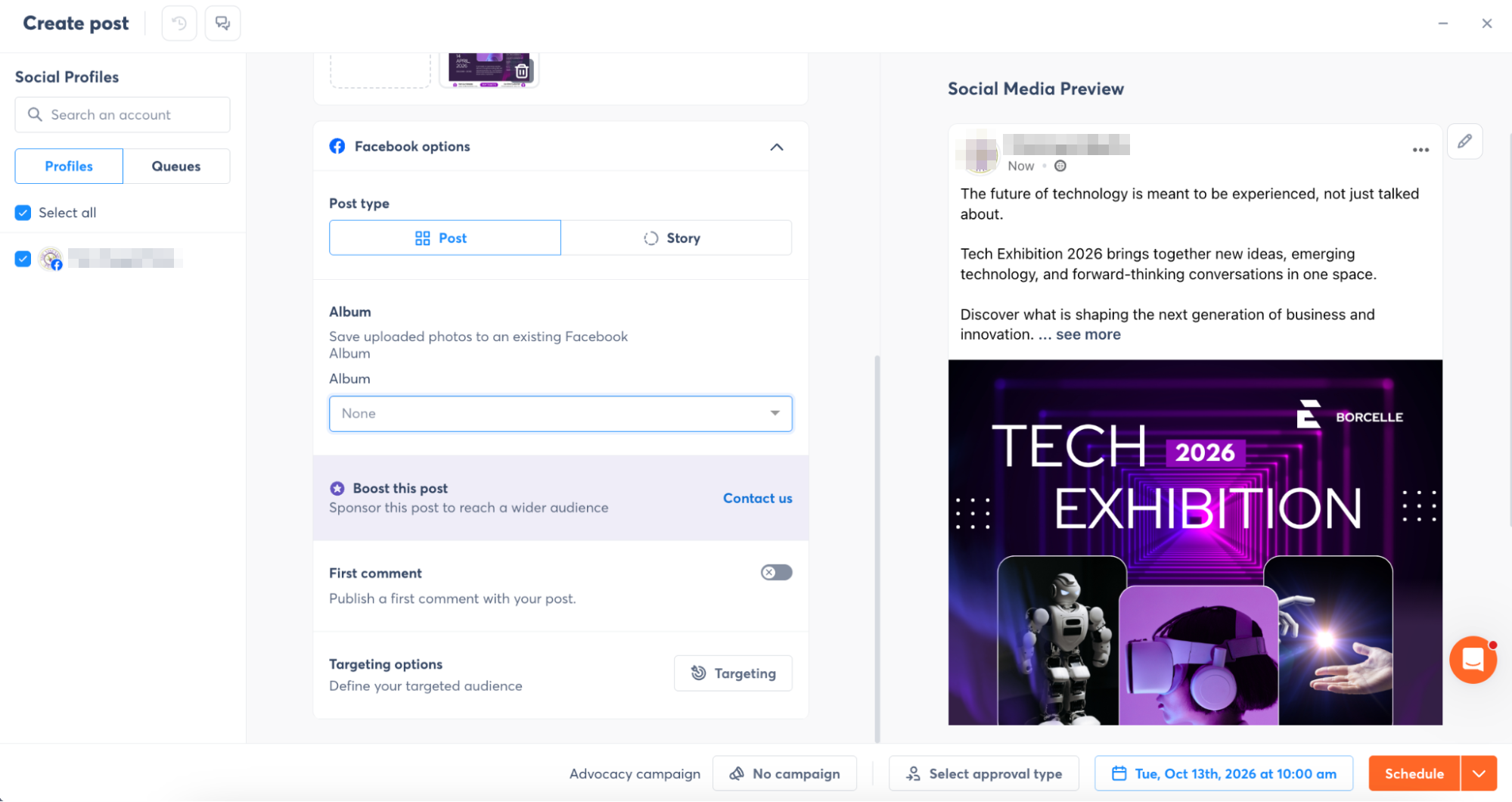
I could also associate the post with a campaign. For an agency or larger marketing team, that matters because reporting and organization get easier when content isn’t just a collection of isolated scheduled posts.
Approval Controls Made the Agency Positioning Obvious
Agorapulse let me send a post to specific users for review, while a more structured approval workflow was available depending on the account setup.
This is where the product starts looking less like a solo scheduler.
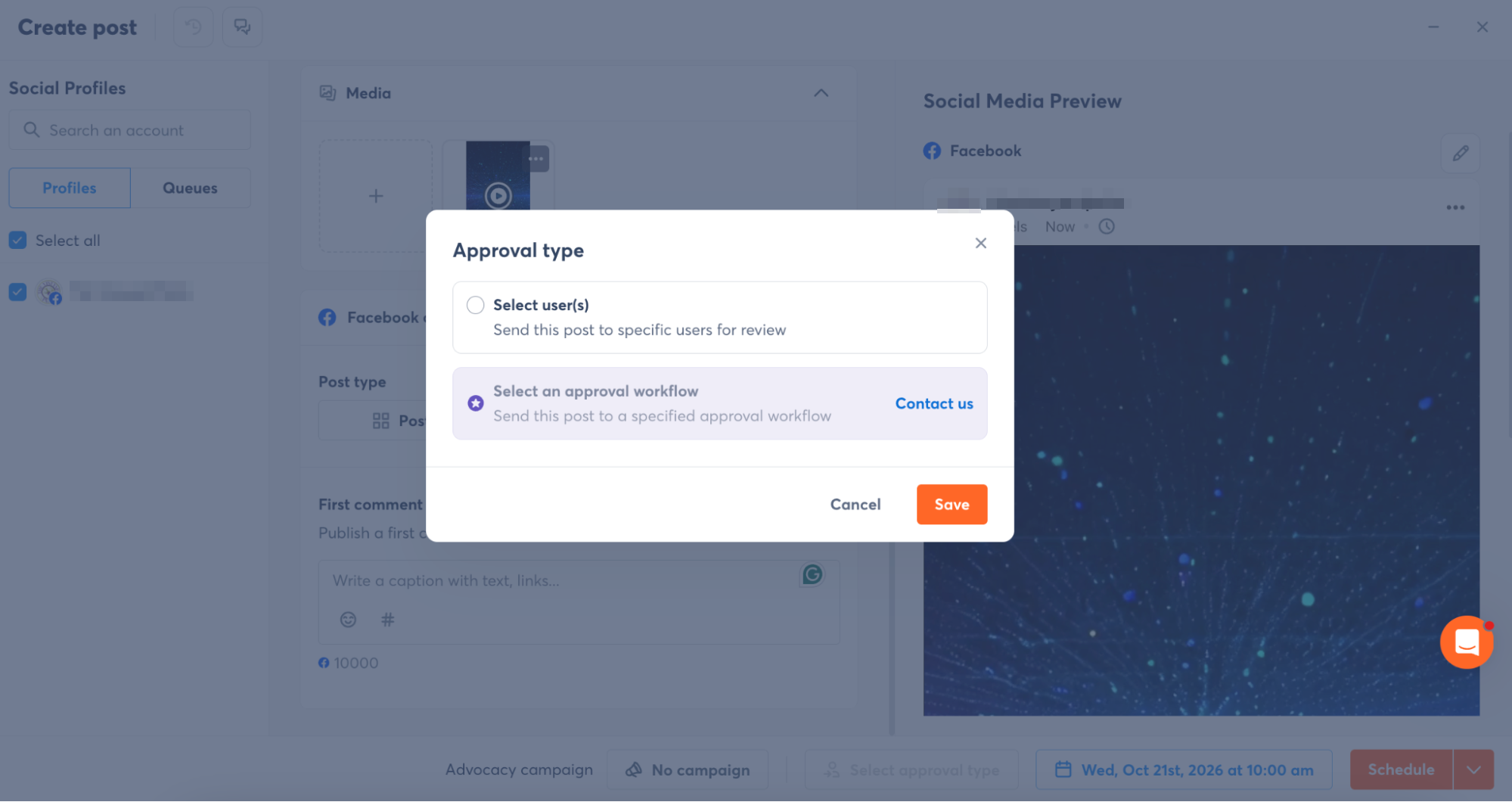
If I am managing one business by myself, approval routing may barely matter. If I am working inside an agency, a marketing department, or a larger brand team, it becomes much more important to know who needs to review a post before it goes live. Our Planable review found a tool built even more tightly around review and sign-off.
The same pattern showed up again in the Inbox. Agorapulse keeps asking not just what the content is, but also who owns the next step.
Recommended Times Added Something Useful to Scheduling
When I scheduled the post, Agorapulse also showed recommended publishing times.
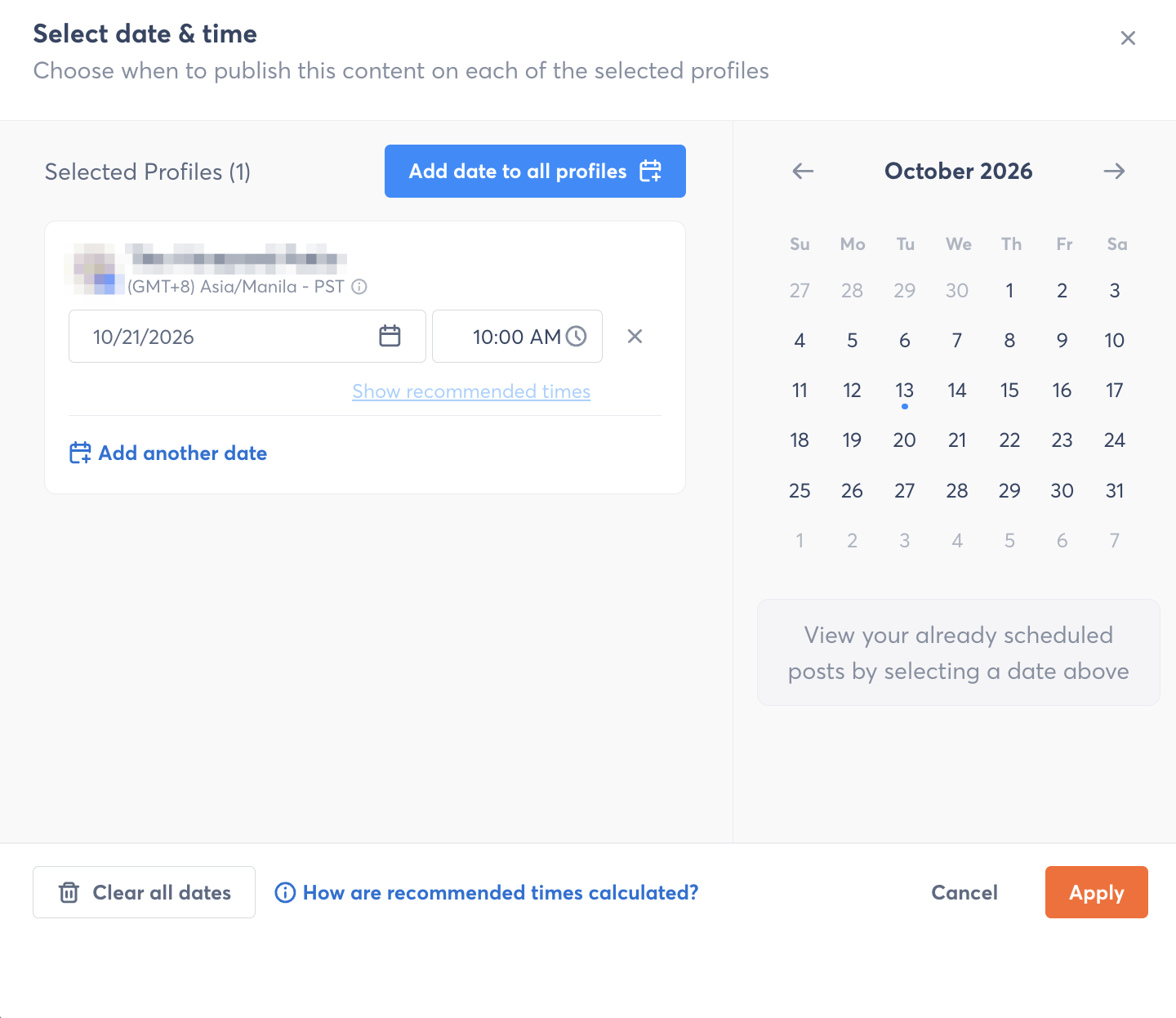
This is more useful than simply showing an empty time field.
The recommendation uses account data, so the scheduling decision can draw on actual account behavior rather than a generic best-time-to-post article.
I would still treat recommended times as a starting point, not a guarantee. Content format, campaign timing, audience location, and the purpose of the post can all matter more than a historical engagement window.
But having that information inside the scheduling workflow removes another reason to leave the platform.
The Calendar Has More Views Than a Basic Scheduler Needs
Agorapulse’s calendar is familiar at first, but it has more ways to view and organize content than some of the lighter schedulers I have tested.
I could switch between List, Week, Month, and Grid views, filter what appears, work with multiple account selections, and use bulk actions. Scheduled posts appear alongside other planning elements rather than being treated as the only thing that belongs on the calendar.
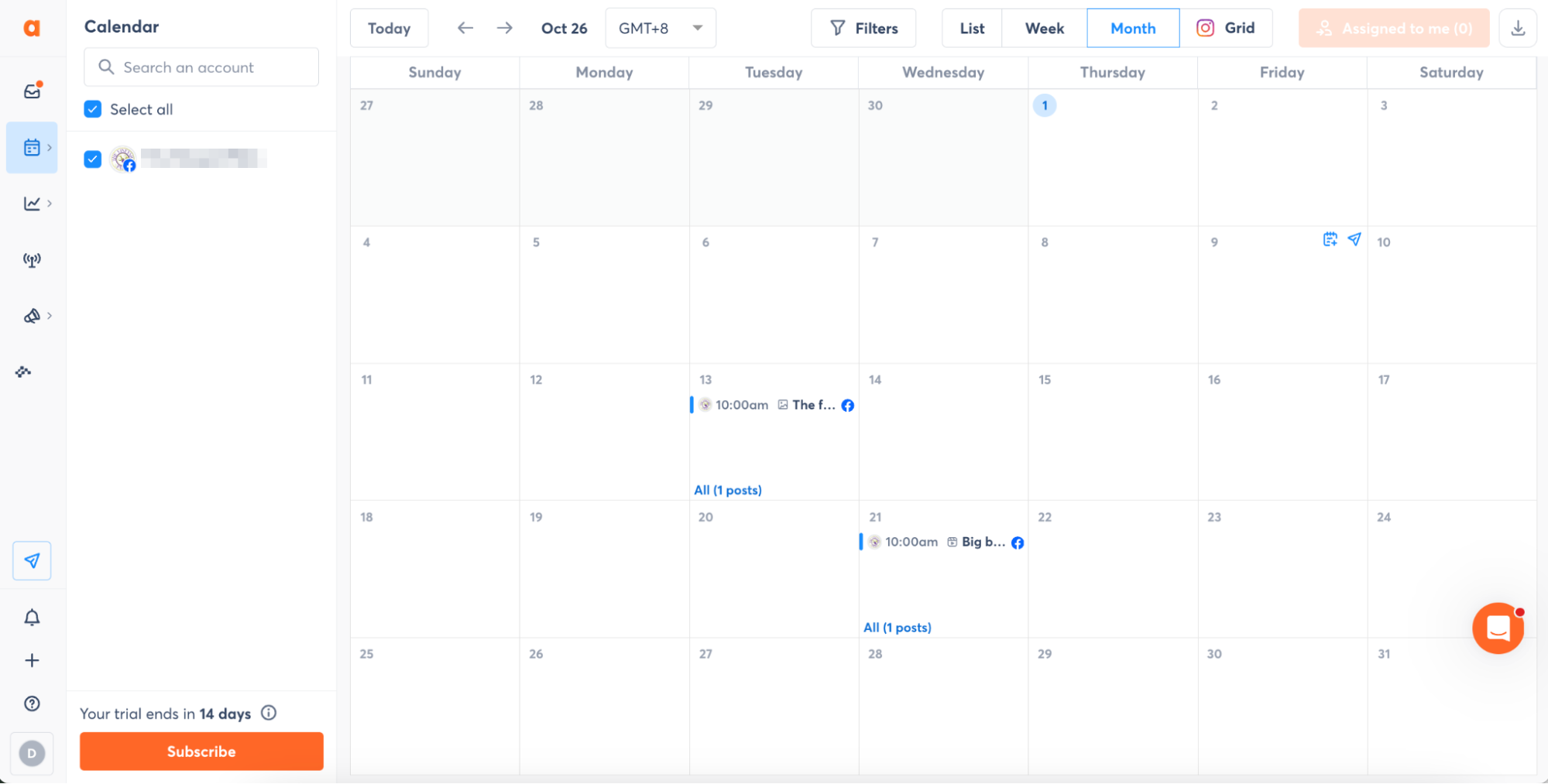
That flexibility makes sense for teams managing several accounts or brands. One person may prefer a traditional month view, while another may need a list for reviewing everything scheduled across multiple accounts.
Notes Make the Calendar More Useful for Planning, Not Just Publishing
I tested the Add Note workflow and liked how flexible it was. A note can include a title, optional content, a date, linked profiles, visibility in shared calendars, and color labels.
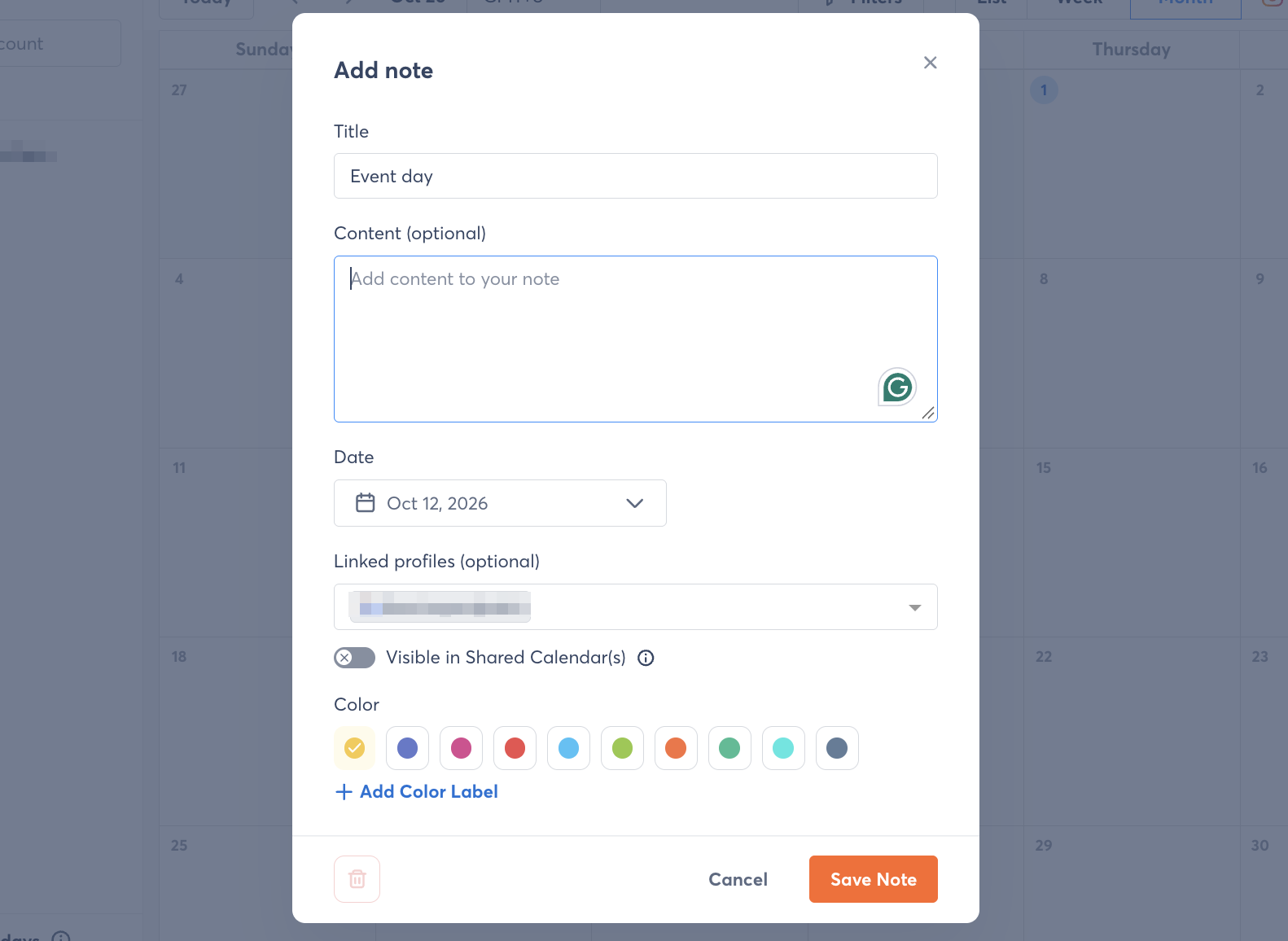
That means the calendar can hold things that are not posts: event days, campaign reminders, internal deadlines, holidays, or client notes. This is a small feature, but it makes the calendar feel more like a planning workspace for a team rather than just a publishing schedule.
The Inbox Was One of the Strongest Parts I Tested
The Inbox made Agorapulse’s team-management angle most obvious to me. I could review incoming conversations and activity inside the platform, mark items as reviewed, and work with assignment-based ownership.
That matters because once several people manage the same brand, the problem is no longer simply seeing the message. The problem is knowing who is responsible for it.
An incoming item can be assigned to a teammate instead of sitting in a shared queue where everyone assumes somebody else has handled it.
This is one of the features that separates Agorapulse from simpler publishing-first tools.
Sendible also gave me access to feeds and Messenger inside its Activity area, but Agorapulse felt more deliberately structured around managing work inside the Inbox. The review state, assignments, and team workflow make it feel less like a feed and more like an operational queue.
That is why the Inbox remained one of the strongest parts of the product even after I connected a live account.
Reports Were Much More Detailed Than I Expected
The reporting dashboard was another area I could test with my connected account.
This was one of the biggest surprises.
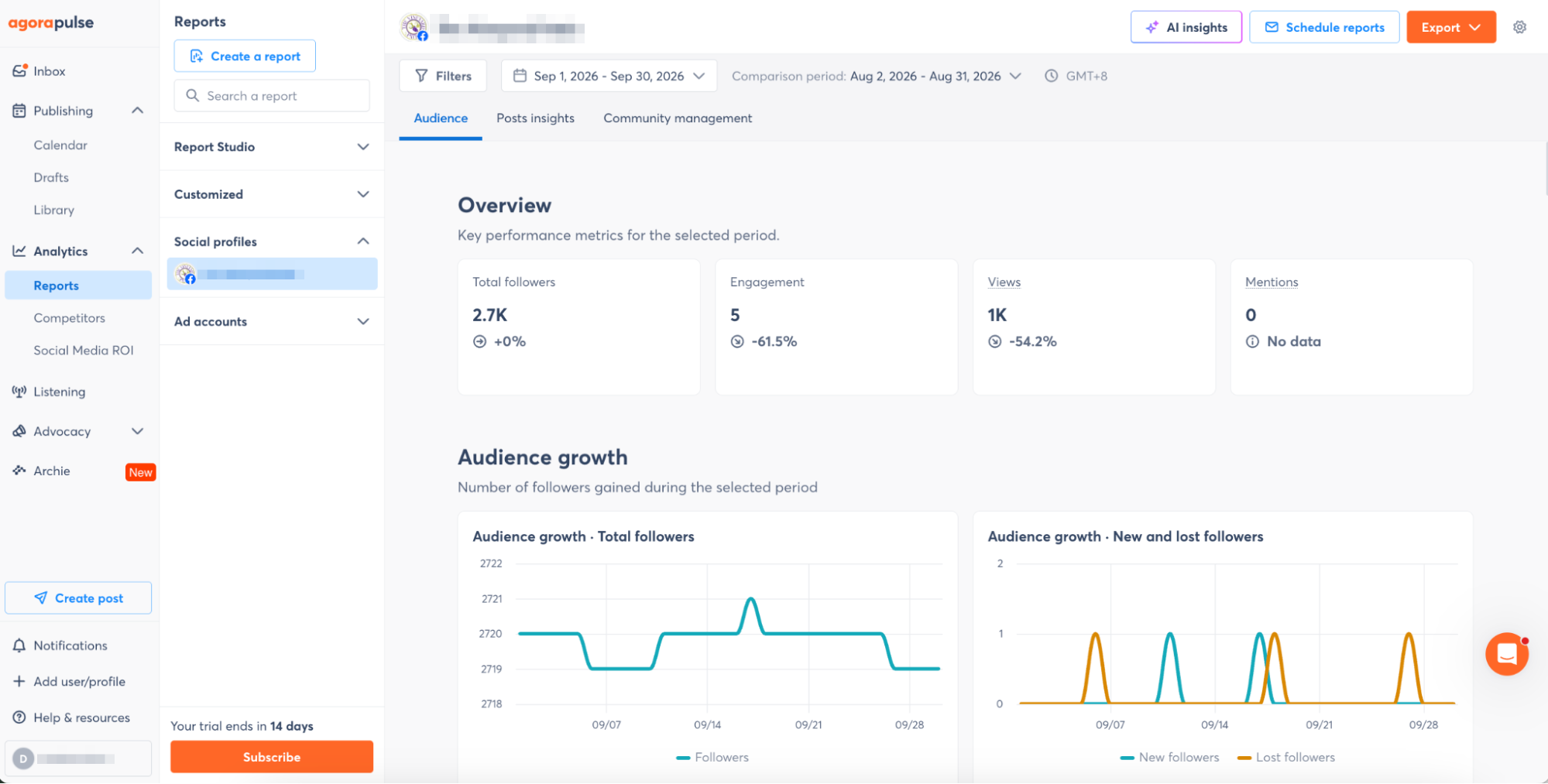
The reporting area is divided into Audience, Posts Insights, and Community Management.
From there, the platform exposes a much broader range of information than the basic follower and engagement summaries I have seen in lighter tools.
Depending on the section and connected network, the reporting environment can include audience growth, engagement rate, user activity, views, reach, mentions, video views, label distribution, sentiment analysis, demographics, and community-management metrics.
That level of detail makes Agorapulse feel better suited to teams that actually need to explain performance, not just check whether numbers went up or down.
Metricool, the first social scheduler in our Hands-On Reviews, also impressed me with its analytics and reporting workflow, but the emphasis felt different. Metricool made analysis and reporting feel closely tied to content performance and shareable reporting. Agorapulse adds more community-management context, which fits the rest of its team-oriented design.
Video Editing Is Functional, but Sendible Goes Further
I also tested Agorapulse’s video handling. The platform includes a thumbnail picker, and depending on the video format, I could either choose a frame from the video or upload my own thumbnail.
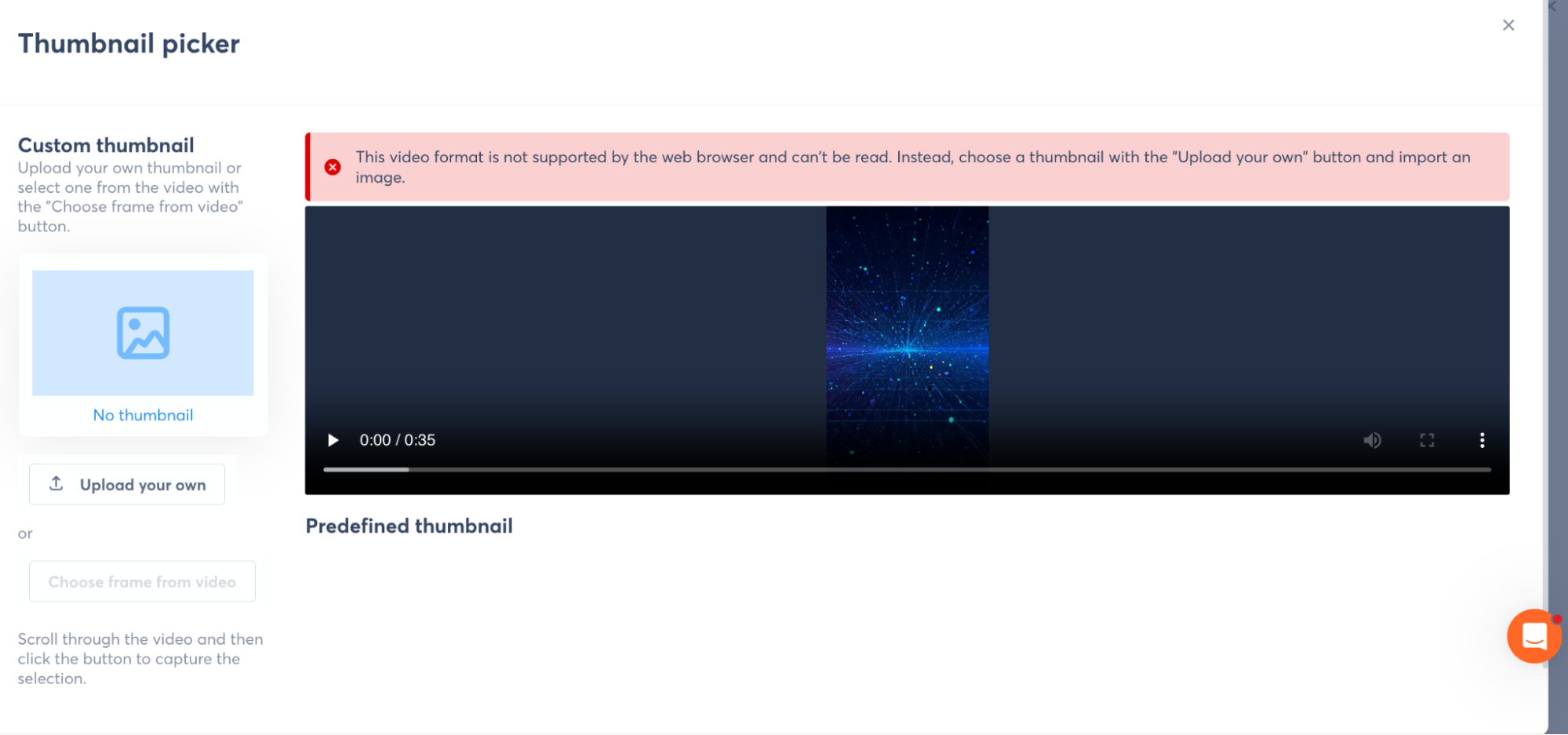
This is enough for a scheduling platform, but it is much more limited than what I tested in Sendible.
Sendible included a fuller editor with trimming, cropping, text, shapes, stickers, animations, positioning, style controls, and a timeline. Agorapulse is closer to the common scheduler model: prepare the video elsewhere, upload it, and then make basic publishing adjustments such as the thumbnail.
That is not necessarily a weakness. It simply tells me that Agorapulse puts more product depth into team management, Inbox, analytics, and Listening than into content production.
Social Listening Is Still the Feature That Separates Agorapulse Most
Social Listening remained one of the most distinctive parts of Agorapulse.
In the guided tour, Agorapulse showed how the broader Listening workflow extends beyond the direct interactions handled in the Inbox.
The product tour showed how Agorapulse can create listening searches around keywords, direct mentions, hashtags, competitors, and broader conversations, then filter results by source, date, and sentiment.
It also showed sentiment analysis, conversation volume, and alerts that can notify selected people when monitored metrics change.
The useful part is how those signals connect back to the rest of the team workflow.
The Inbox handles direct interaction with the brand, while Listening expands the view to conversations happening outside those direct notifications. That combination is still one of the clearest reasons Agorapulse feels different from a basic scheduler.
Competitor Benchmarking Adds More Context to Performance
In the guided tour, Agorapulse’s competitor benchmarking showed how the platform can add context to performance by comparing profiles side by side.
Agorapulse showed comparison views for follower counts, posting volume, total engagement, average engagement per post, and top-performing content across competing profiles.
I like the idea because competitor analytics are more useful when they provide context, not a single score.
A competitor may have more engagement because they publish twice as often, have a larger audience, or ran a major campaign during the selected period. Seeing multiple metrics side by side makes the comparison more useful.
The value here is not the comparison alone, but the ability to look at follower size, posting volume, engagement, and top content together instead of judging competitors from one number.
Social Media ROI Pushes Reporting Beyond Likes and Reach
Agorapulse’s Social Media ROI layer connects social activity with traffic, leads, transactions, and revenue.
That moves the reporting conversation beyond engagement metrics and closer to the business outcomes larger teams and clients usually care about.
For agencies and larger marketing teams, that can make the reporting layer more useful because the conversation is no longer limited to likes, reach, or follower growth.
I would be cautious with any ROI dashboard until I verified the underlying tracking. UTMs, campaign naming, analytics configuration, and attribution rules need to be consistent before the final number means much.
Agorapulse Felt More Like Team Software Than Creator Software
After using the core workflows and going through the broader product tour, Agorapulse’s target audience became fairly obvious.
The platform is not primarily optimized around giving a solo creator the fastest possible route from idea to scheduled post.
Its strongest features make more sense when several people are involved.
Approval types decide who reviews a post. Inbox assignments decide who owns an interaction. Calendar notes help coordinate planning. Bulk actions and multiple calendar views become more useful as account volume grows. Reports include community-management data rather than only publishing performance. Listening and alerts focus on what is happening around the brand, not just what the brand posts.
That makes Agorapulse feel much more appropriate for agencies, larger companies, customer-facing social teams, and organizations managing multiple brands or accounts.
The Inbox, Reporting, and Listening Story Is What Makes Agorapulse Different
After using Agorapulse with a connected account, I would still describe the Inbox and Social Listening as the platform’s clearest identity, but I would add reporting and team workflow to that picture.
The Inbox was genuinely useful in my live test because assignments and review states make conversations easier to manage across a team.
The Reports area was more detailed than I expected, especially once audience, post, and community-management views were separated.
Publishing was capable, with campaign tagging, approval controls, first comments, recommended posting times, calendar notes, and multiple planning views.
The broader Listening, competitor, and ROI features follow the same pattern, extending Agorapulse from publishing into monitoring, benchmarking, and business reporting.
Agorapulse is strongest when social media is no longer one person scheduling a few posts. It is built around the point where publishing, engagement, monitoring, approvals, reporting, and accountability all have to work together.
That is the part of the platform that stood out most to me.