How I Tested Sendible
I connected a live social account and worked through the parts of Sendible an agency would touch daily: adding profiles, the composer, media handling, the video editor, scheduling, the calendar, the Activity area with its feeds and Messenger view, and the reporting setup.
A second group of features I did not use. Workspaces, Client Connect, Dynamic Fields, RSS automation, automated reports and the white-label platform were researched from Sendible’s own product pages and support documentation rather than tested. Where a section below rests on documentation, it says so. Keeping those apart matters here, because the agency features are most of Sendible’s pitch and the easiest thing to overstate.
Adding Profiles Had Plenty of Options, Even if the Setup Looked Dated
Profile setup was the most dated-looking part of Sendible, and it still showed how broad the platform is before I had created a single post.
The Add Profiles area covers Facebook, Instagram, X, LinkedIn, Google Business, YouTube, TikTok, Threads and Bluesky. Sendible also separates out Blogs and Apps, which tells you immediately that it is built to pull more than standard social accounts into the same system.
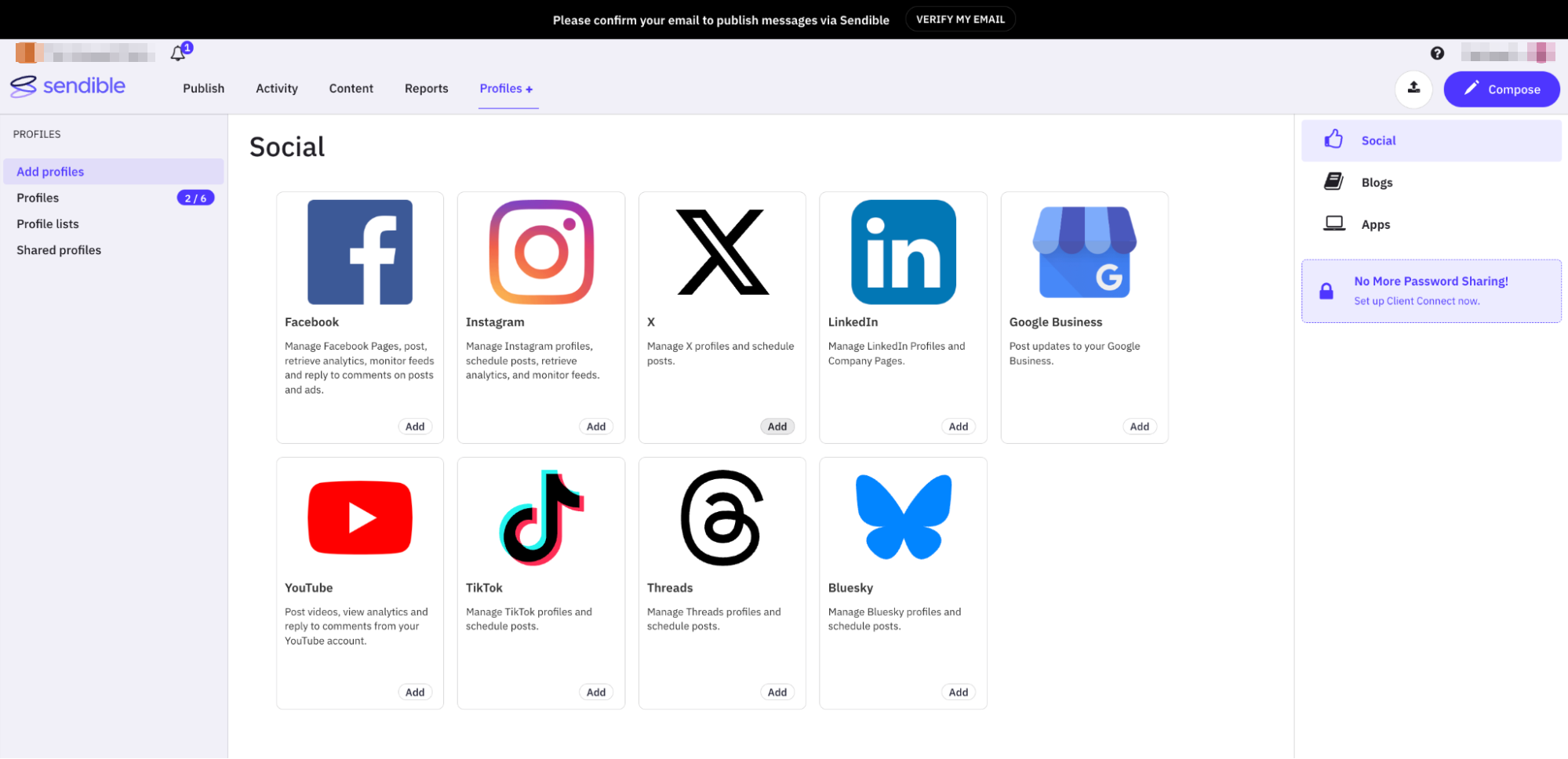
The breadth was good, but the flow looked less polished than the newer parts of the interface. Opening the Facebook page settings landed me on a utilitarian configuration screen of dropdowns for the page, link previews, geotargeting, full-size images and activity alerts. It worked. It felt closer to an admin panel than a modern onboarding flow.
That is not necessarily a problem for a team that cares more about control than polish, but it was noticeable because other parts of Sendible feel much more current.
The Composer Gave Me More Control Than I Expected
The composer was where Sendible started to feel distinctive. I created posts inside the New Message window, selected a connected profile, added copy and media, and worked through the publishing controls from there. The interface is not radically different from other platforms at first glance. The details are more generous than I expected.
One example is the first-comment control. In some platforms I have tested it is limited by plan or by post format. In Sendible I could use first comments across more post types, including carousel and static content, rather than finding it restricted mainly to Reels.
That matters for agencies that routinely separate hashtags, disclosures, links or supplementary copy from the main caption. It is a small control, but it removes a round of manual tidying after the post goes live.
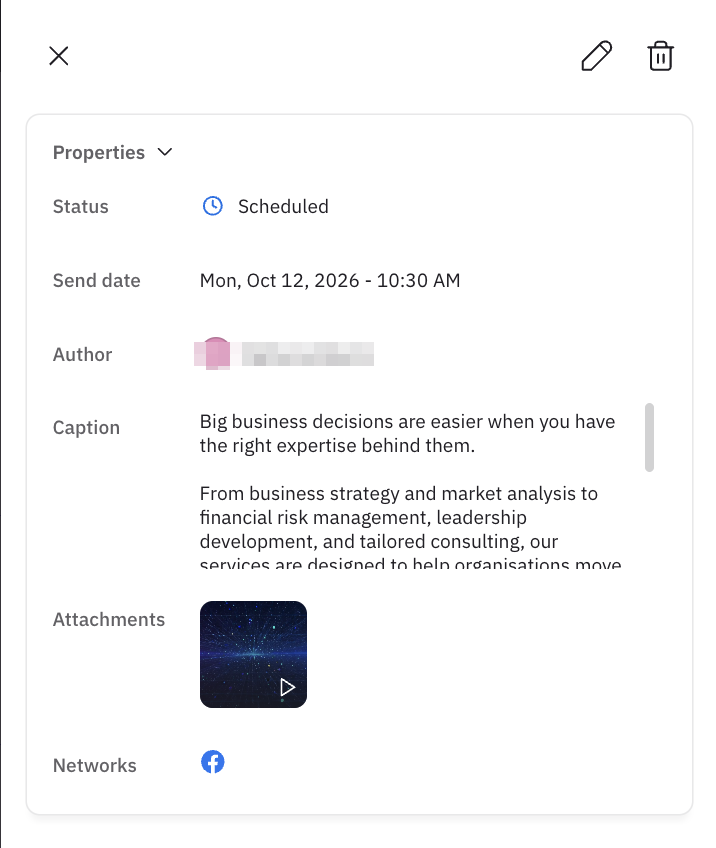
Approvals sit in the same workflow. I could save the draft, send it for approval, or move straight into scheduling without leaving the message window. For client work that is more useful than having approvals buried elsewhere in the platform.
The Asset Picker Was One of the Better Parts of the Composer
Sendible gives you more ways to bring media into a post than most schedulers I have tested. The media menu offered direct upload, recently used assets, URL import, Canva, YouTube, Flickr, Pexels, Giphy, Dropbox and Google Drive.
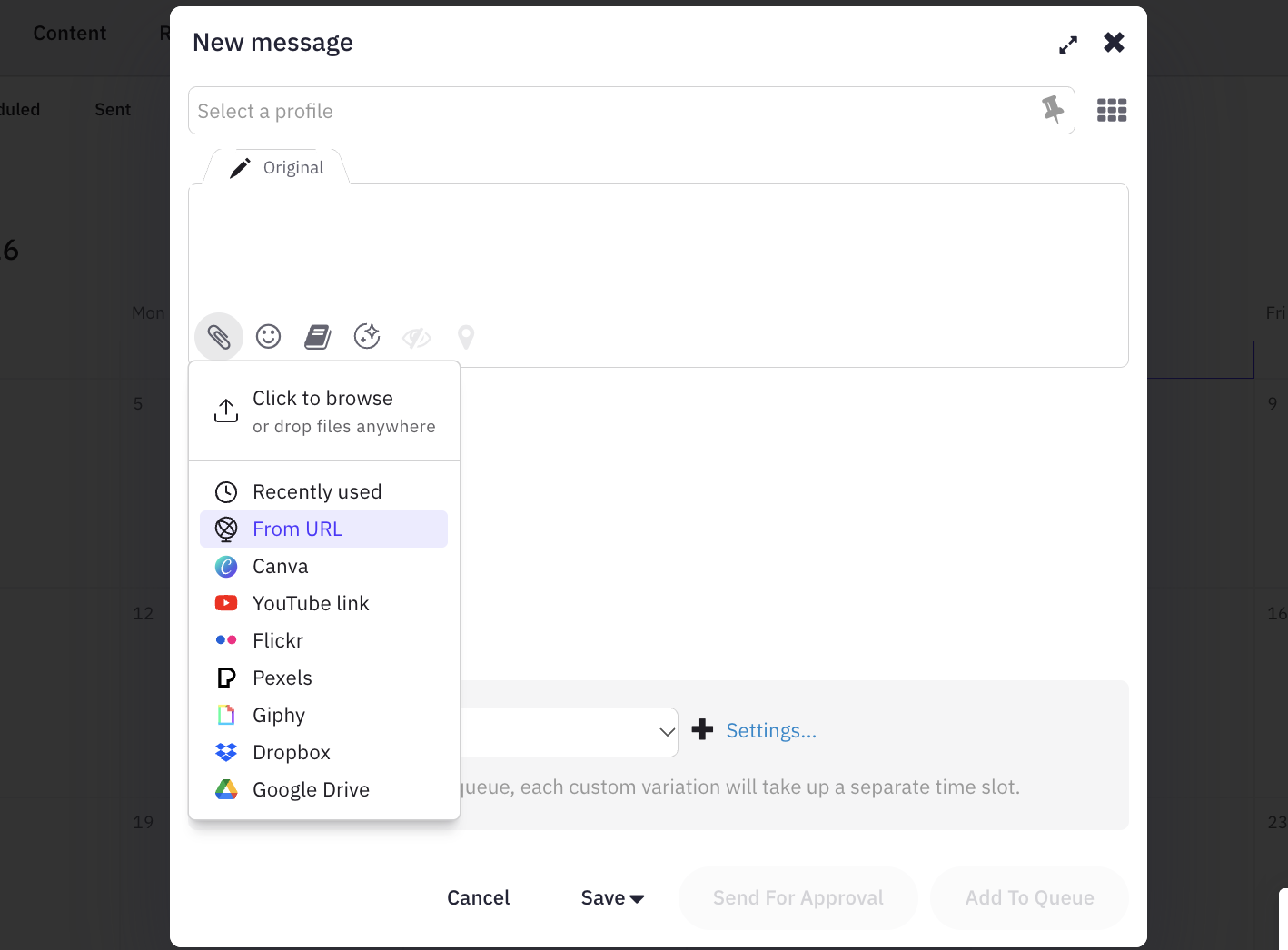
This matters more in agency work than it first appears, because assets rarely live in one place. A designer may work in Canva, the client may keep final images in Drive, and older campaign files may already sit inside the scheduler. Rather than forcing all of that through one upload path, Sendible gives the team several entry points.
The Video Editor Was More Capable Than the Usual Scheduler Tools
In most social scheduling tools, video editing means trimming the clip and picking a thumbnail. Sendible gave me crop, trim, animations, style, opacity, position, text, uploads, shapes, stickers and a timeline.
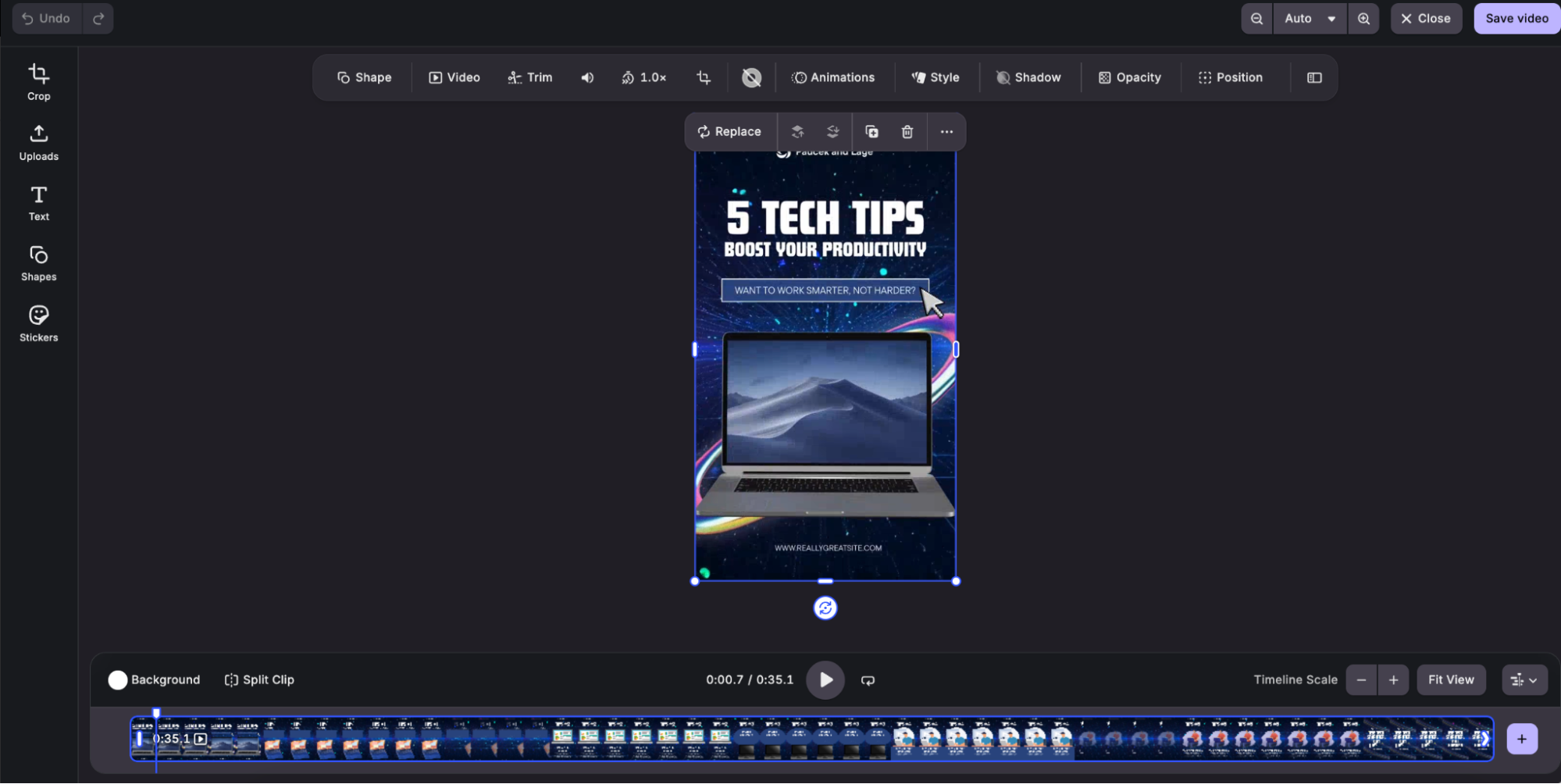
I would not replace a dedicated editor with it for real production work. For last-minute social edits it earns its place. If a client sends the wrong crop, text needs moving, or a short video needs cleaning up before scheduling, the team can do it without leaving the platform.
For an agency that is one fewer handoff. The more small corrections that happen inside the publishing workflow, the less often a post bounces back to a separate editing tool.
The Calendar Was Familiar, but It Did Everything I Needed
The calendar did not surprise me, and that is not a criticism. I could see scheduled content, sent posts, failed posts, queues, drafts and tasks from the publishing area, drag a scheduled post to another day, and edit it again when the plan changed.
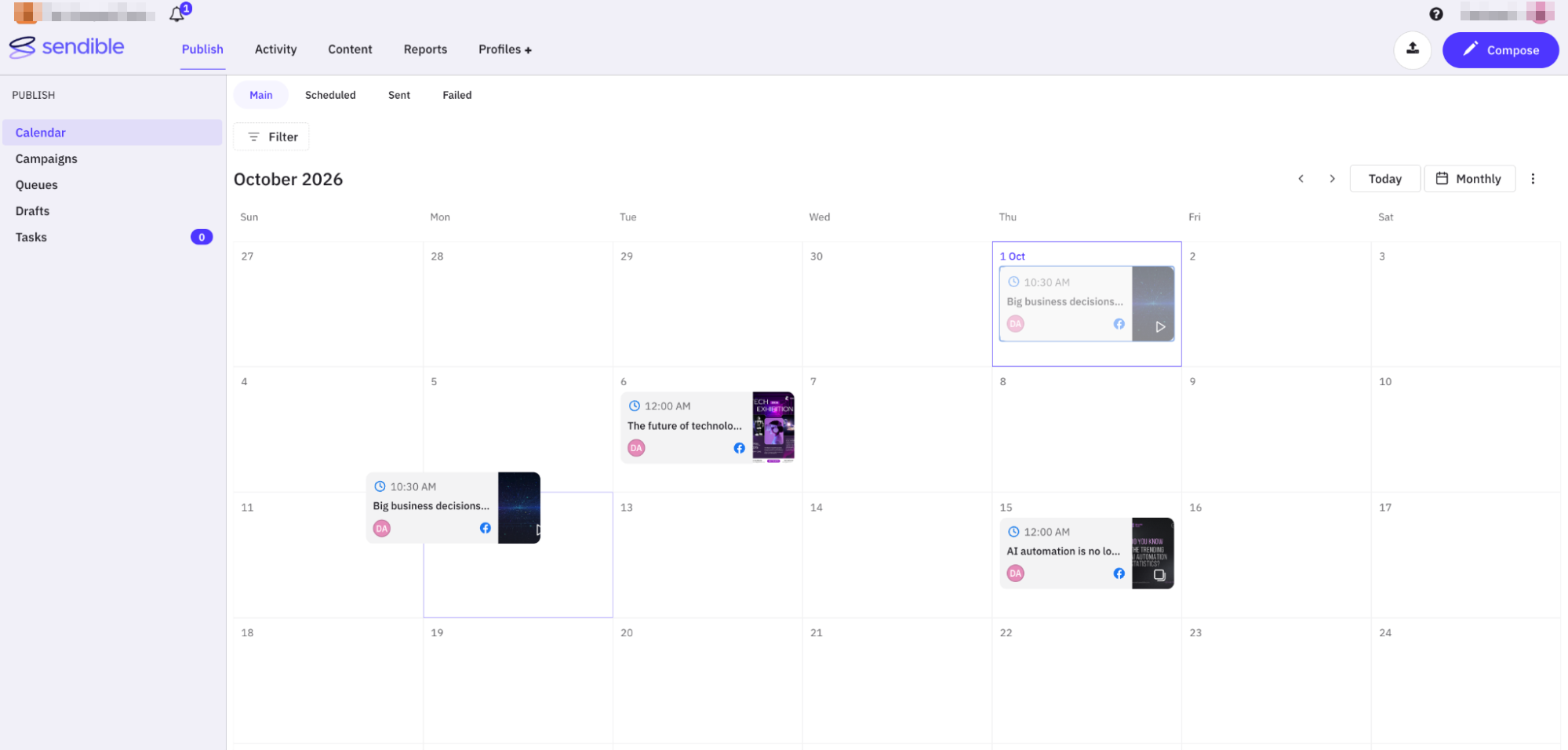
That is the standard I expect now from a serious scheduler. Metricool, SocialBee, SocialPilot and Agorapulse, the other schedulers in our Hands-On Reviews, all approach the calendar differently, but the underlying job is the same: show what is going out, what went out, what failed and what still needs attention.
Where it becomes more relevant for agencies is the surrounding structure. Campaigns, queues, tasks and approvals all sit next to the calendar, so it works as a status board for client work rather than a place to drop posts onto dates. The calendar itself is not the reason to choose Sendible. The workflow around it is.
The Activity Area Let Me Browse Feeds Inside Sendible
One of the more unusual things I tested was the Activity area. With more than one profile connected, I could browse the Home Feed for the selected account inside Sendible, and switch into Messenger for the connected Facebook profile.
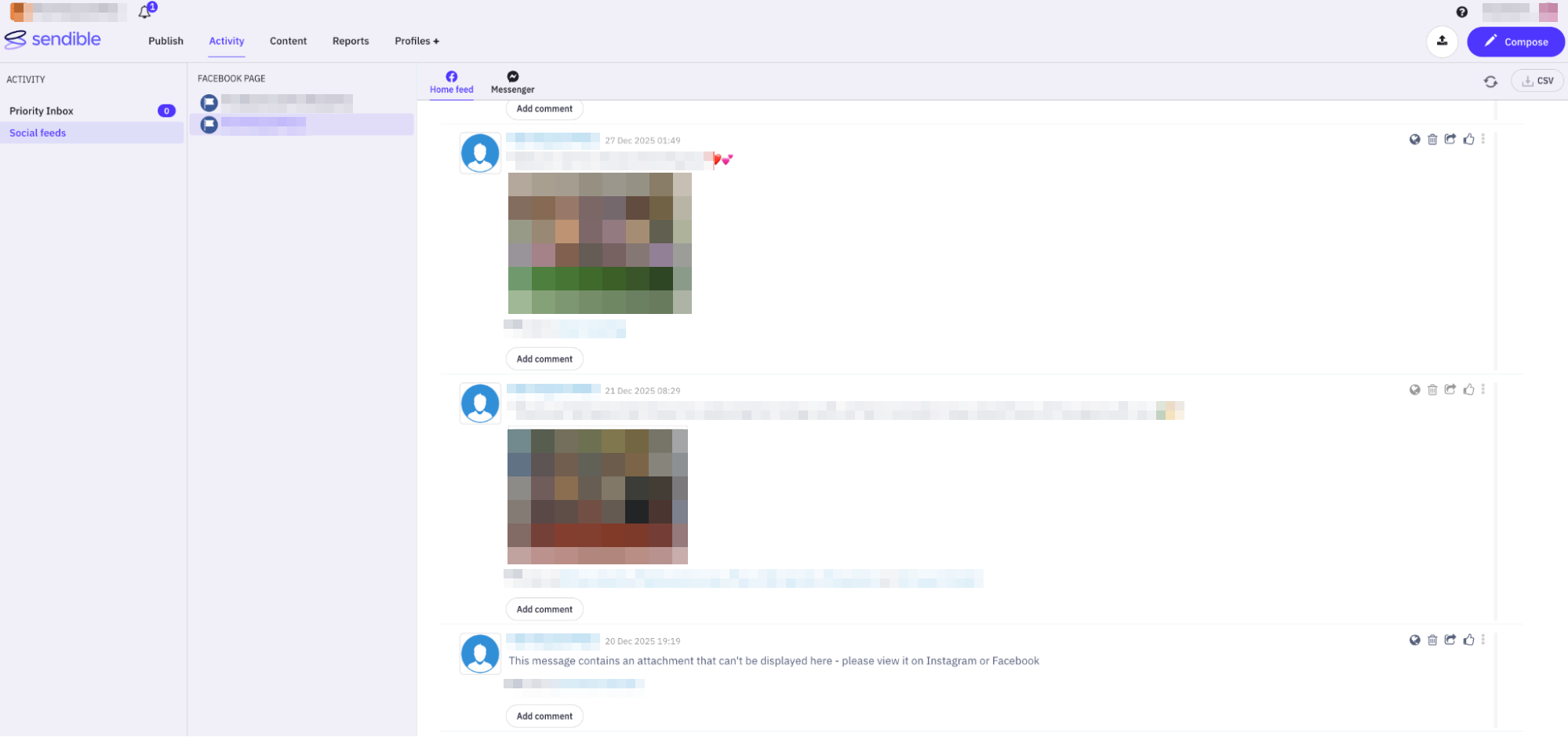
Not every social media management platform gives you that feed-level visibility. Some focus almost entirely on your own scheduled content and the comments that come back to it. Sendible lets you monitor more of the connected account’s activity without jumping back to Facebook.
The Priority Inbox aggregates incoming activity, while Social Feeds give the more direct view of profile activity. I would still give Agorapulse the stronger identity around Inbox and Social Listening, because those features felt much more central there. In Sendible, Activity reads as another useful layer inside a broader agency workflow rather than the main event.
Reports Were Easy to Set Up, Which Is Exactly What I Wanted
I went through the reporting area and built reports from the All Reports dashboard: choosing a report type, connecting it to the profiles that mattered, and assembling it around the metrics I wanted to show. What stood out was how quickly the workflow became usable.
For agency work that matters, because the report is often part of the monthly deliverable rather than an internal dashboard. Metricool felt more analytical to me, because its analytics and Studio workflow encourage deeper exploration of the numbers. Sendible felt more client-delivery oriented.
Researched rather than tested: Sendible documents scheduled report delivery and white-label reporting options on top of the setup I used. I did not exercise either.
The Agency Story Gets Bigger Beyond the Core Workflow
Beyond what I used directly, Sendible documents several tools built around agency operations: Workspaces for separating client brands, Client Connect so clients can authenticate their own accounts without handing over passwords, Dynamic Fields for personalising repeated posts, automated reporting, and a white-label platform with agency branding and custom domains. It also documents RSS-based workflows for sourcing and automatically distributing content.
Taken together, Sendible positions these as a way to keep clients separated, connect accounts securely, reuse content efficiently, automate reports and present more of the software under the agency’s own brand. That is a compelling model for a larger agency.
It is also the part I can say least about. I would want to test the client side of Client Connect, how Workspaces behave day to day, whether Dynamic Fields hold up across a real multi-account campaign, and what the white-label portal actually feels like before making stronger claims. If RSS automation is a major reason you are considering Sendible, verify the plan requirements and test the feed behaviour during a trial before building a workflow around it.
Is Sendible Really Built for Agencies?
After using Sendible across publishing, media editing, the calendar, Activity, Messenger and reporting, the agency positioning made sense to me for reasons beyond white labelling.
It made sense because so many routine client tasks could stay in one place. I could create and approve posts, pull assets from different sources, make quick video edits, reschedule content, check profile activity, open Messenger and set up reports without constantly moving between tools.
For a solo creator managing one or two accounts, much of this is unnecessary. For an agency handling several client brands, especially one that wants approvals, reporting, richer media handling and eventually a branded client experience, Sendible starts to make much more sense. If approvals and client feedback are the bottleneck rather than publishing, Planable, which we tested next, is built around exactly that.
What stood out was not one headline feature. It was how much of the day-to-day client workflow could stay inside Sendible instead of being handed off elsewhere. That is where it felt strongest: not the flashiest scheduler, but one that reduces handoffs in ongoing client work.