Metricool did not make its best impression when I first opened it. The dashboard was empty, so I had to create a brand and connect social accounts before planning a post or studying any data. Once I did, the platform started to feel much broader than a scheduler.
That changed once the setup was complete. The planner handled the usual publishing work, but I could also move into analytics, reporting, Inbox, SmartLinks, and ads from the same account. I had used some of those areas before in client work, so this retest with my own brand helped me separate the free workflow from the parts that become more useful on paid plans.
By the end of the test, Metricool felt less like a scheduler with extra tabs and more like a marketing workspace. Planning, reporting, analytics, link tools, ad management, and automation all sit close enough together that I spent less time jumping between separate platforms.
How I Tested Metricool
I retested Metricool with my own brand on the free plan, starting with connections, planning, post creation, media, AI tools, analytics, and reporting. I also drew on earlier client work where I had used broader parts of Metricool, including SmartLinks and ad management.
That gave me two useful perspectives: what a solo user can do in a free account today, and how the workflow expands when a client or agency has access to the paid tools around reporting, automation, links, ads, and team management.
This was a workflow test rather than a long-term publishing reliability study. I focused on how the different parts of Metricool connect and where the workflow becomes more useful once planning is no longer the only job.
The Empty Dashboard Made the Setup Order Clear
The first job was not scheduling. Metricool asked me to create a brand from the Connections menu and give it a name. That brand became the home for the client’s social profiles, planner, analytics, inbox, and reports.
The connection screen displayed the major social networks, websites, blogs, and ad accounts in one area. The layout felt simple, but the permissions screen made me slow down. Restricting the wrong permissions could stop Metricool from pulling analytics, publishing posts, or managing the inbox.
One detail changed how I viewed the pricing. A brand holds one profile from each network. That suits a small business with one account per platform, but an agency managing several locations may need more brands than expected. The setup was already showing me what could affect the final cost.
The Planner Was Where Metricool Started to Feel Useful
Once the brand was ready, the test became more interesting. I opened the planner from a calendar slot, then tried the Create Post button. Both routes led to the same composer, where I selected Instagram, Facebook, and LinkedIn, uploaded an image, and wrote one base caption.
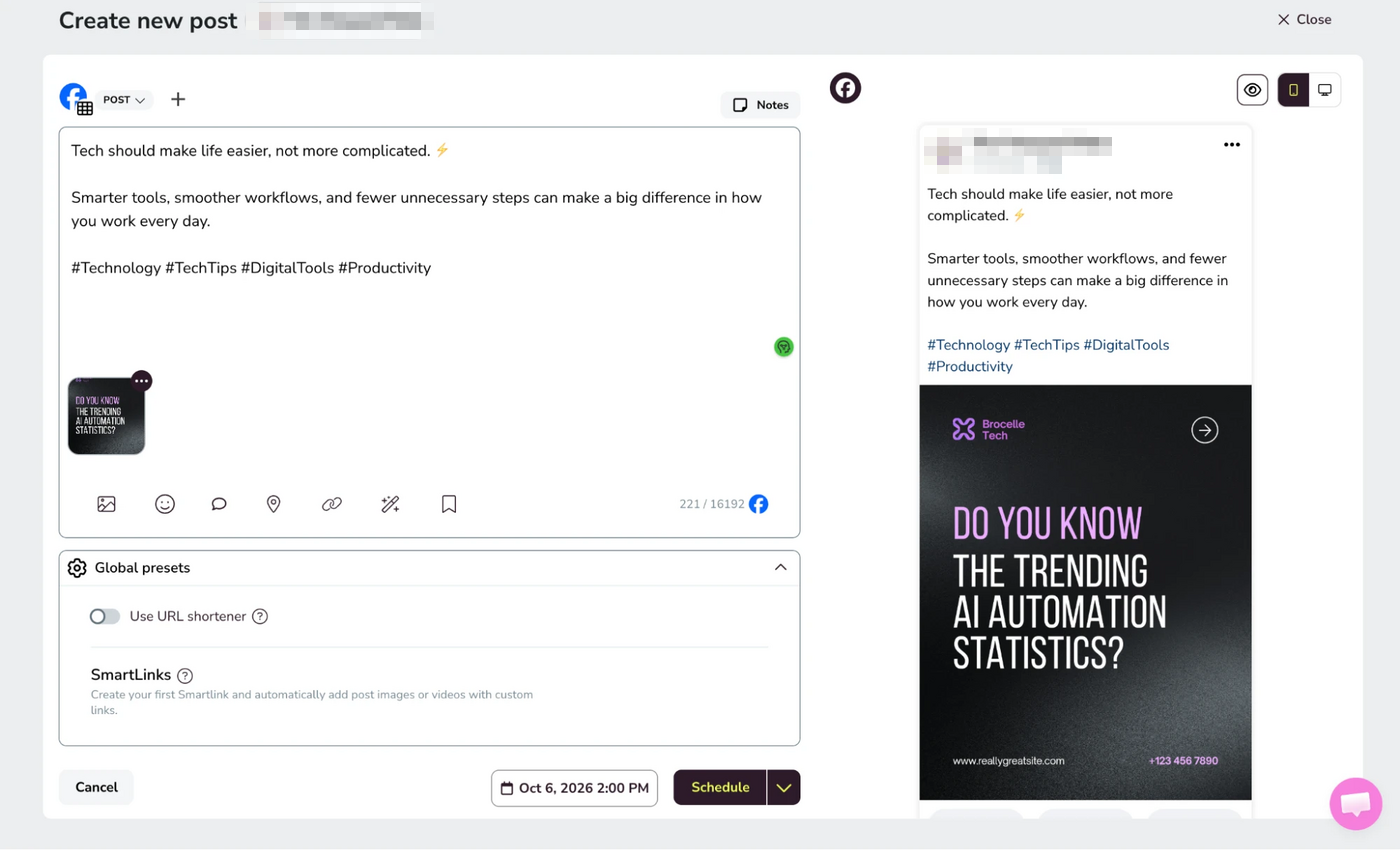
At first, the composer looked familiar. Then I tried saved text and saw the practical value. A caption structure or regular hashtag set can stay ready for the next post, so the weekly routine starts with editing instead of rebuilding.
The network-by-network editor was where Metricool felt more useful than a basic queue. I started with one caption, then changed the wording and settings for each platform. I kept the shared parts together without forcing the same post onto every network.
Metricool also pushed back when something was missing. During a vertical-video test, YouTube required a separate title, while Instagram and TikTok showed different cover and audio settings. I liked seeing those warnings before scheduling, when the mistakes were still easy to fix.
Still, cross-posting did not become automatic. Every network kept its own rules, and I still had to review each tab. Metricool made those differences easier to manage, but it did not replace the final human check.
Planning Went Beyond the Calendar
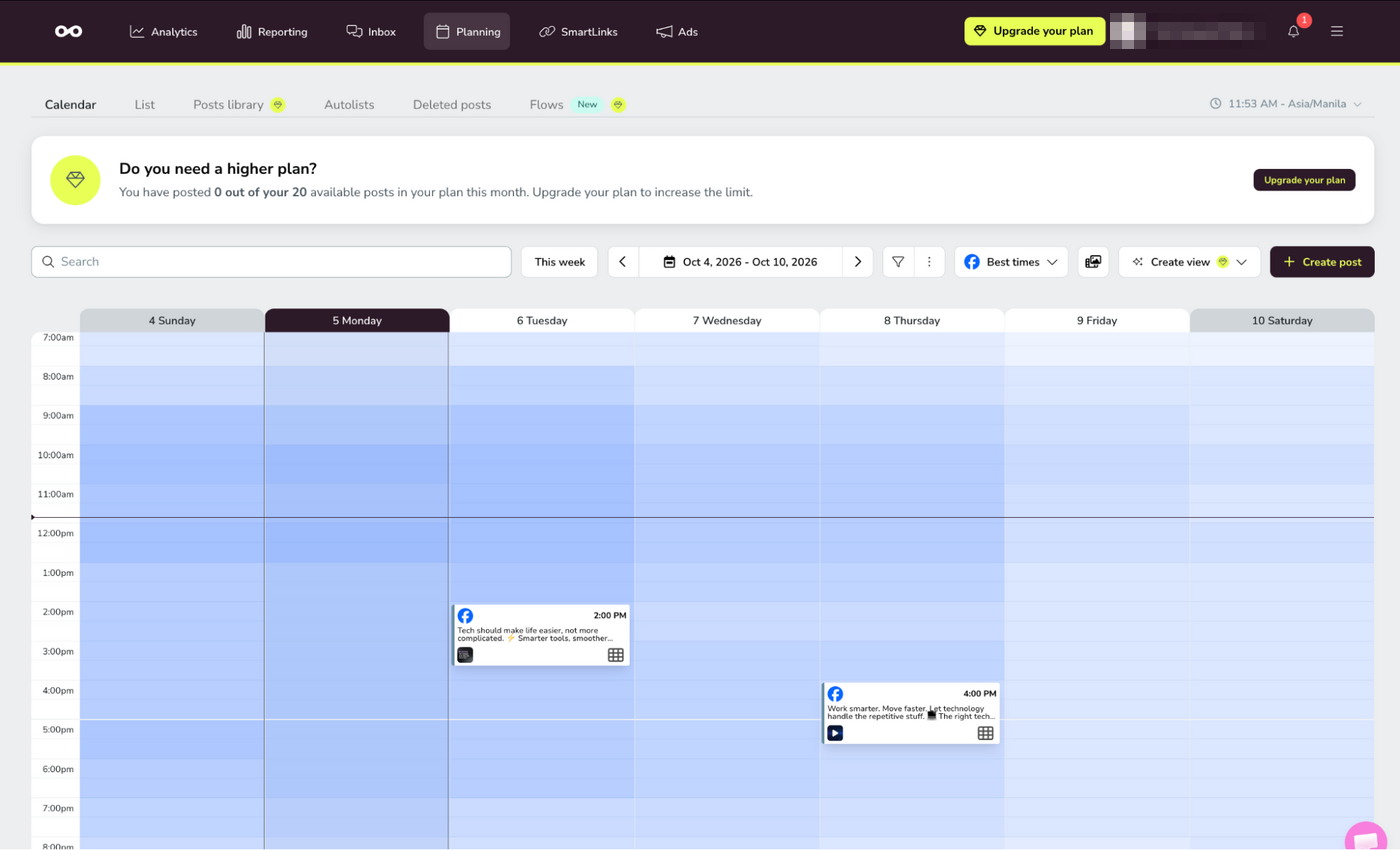
The calendar is only one part of Metricool’s Planning area. I could also move into List view, Autolists, Deleted posts, and other planning tools, while the Posts library sits behind a higher plan. That made the section feel more like a content operations space than a single scheduling screen.
The newer Flows area pushes that idea further. Metricool presents Flows as a way to automate engagement by responding to comments and DMs, chaining messages into sequences, and measuring how each flow performs.
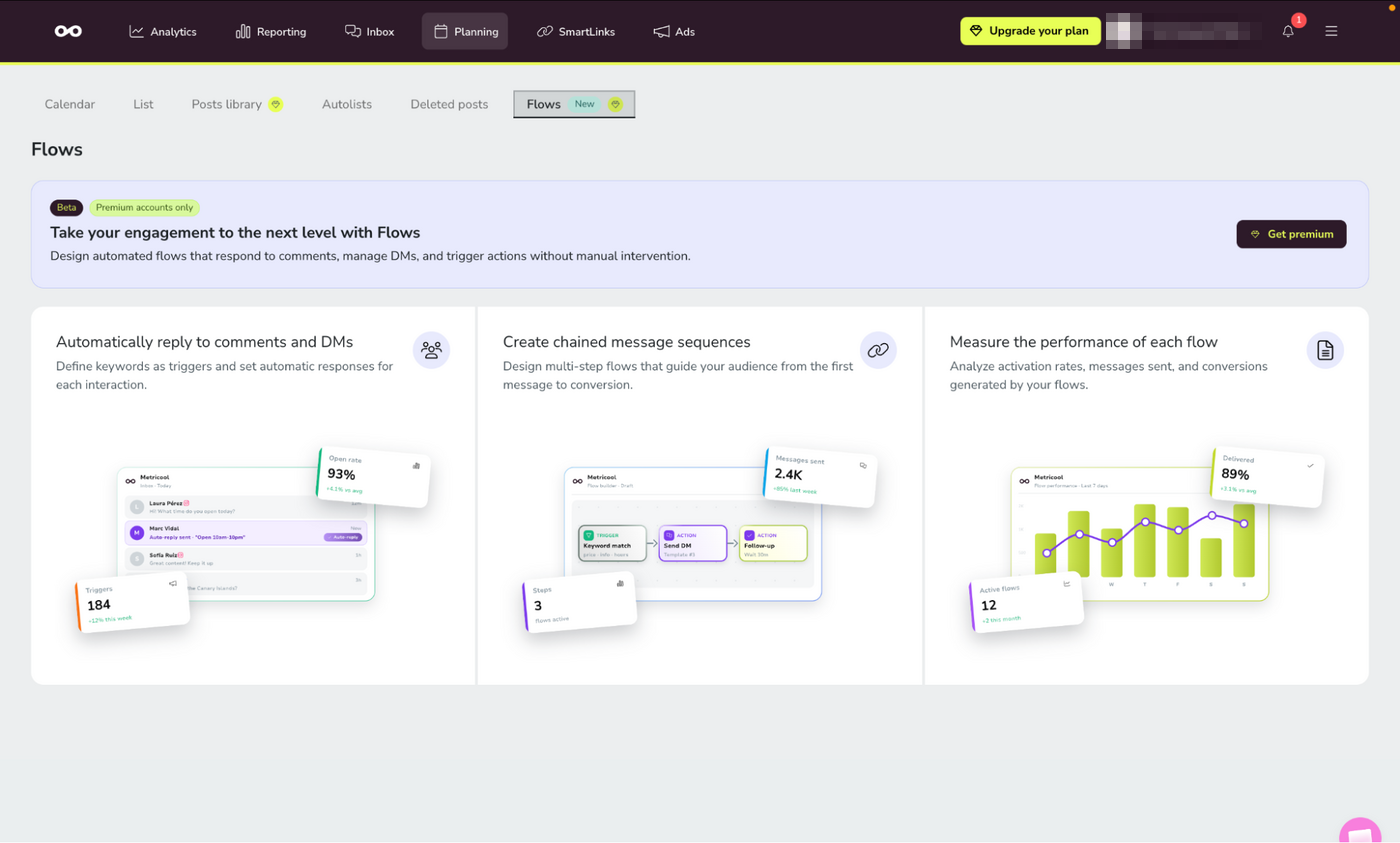
The logic reminded me of the kind of automation I would normally associate with a dedicated messaging tool. I did not need it for basic scheduling, but it makes Metricool more interesting for teams trying to keep publishing and simple engagement automation closer together.
Google Drive and LinkedIn Carousels Saved Extra Steps
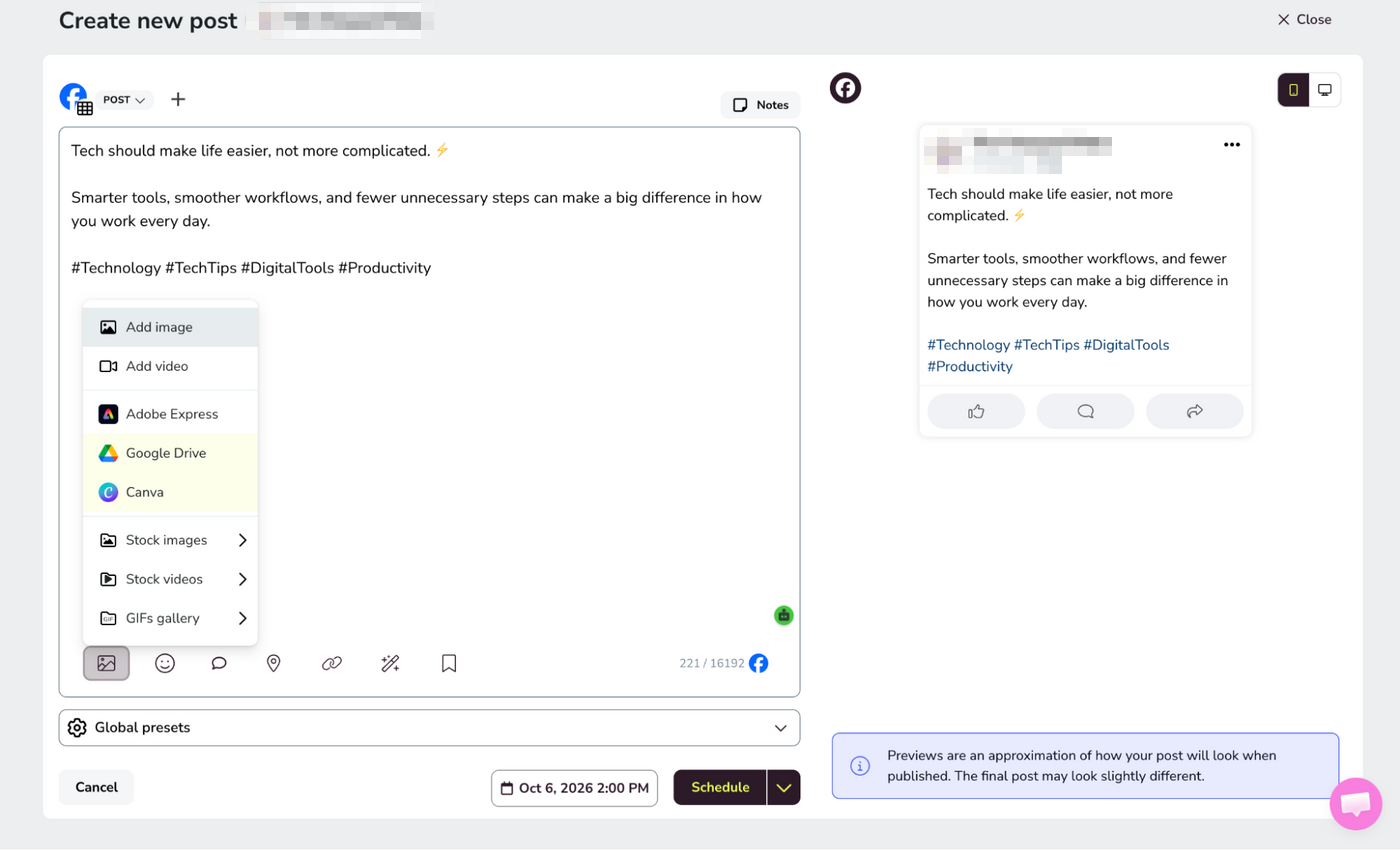
Next, I tested the asset workflow. I opened Google Drive from inside the composer, found the shared folder, selected several files, and loaded them into the post. It was a small feature, but it matched the way client work actually happens. The content was already in Drive, so downloading and uploading it again felt unnecessary.
The LinkedIn carousel test added another shortcut. Metricool let me upload a document or turn separate images into a carousel after I enabled the Image Carousel setting.
Then I hit an error. The slides did not share the same dimensions, so Metricool stopped the process until the portrait and landscape images matched. The interruption was useful because it caught the problem before LinkedIn did. Once the sizes matched, I named the carousel, previewed the slides, and scheduled it.
Video Editing Went Further Than a Thumbnail Picker
Metricool gave me more control over video than I expected. From the post composer, I could open the video editor instead of stopping at thumbnail selection.
The editor included crop, size, finetune, filters, stickers, resizing, audio controls, and split controls on the timeline. That is more useful than the basic thumbnail-only workflow I found in several other schedulers.
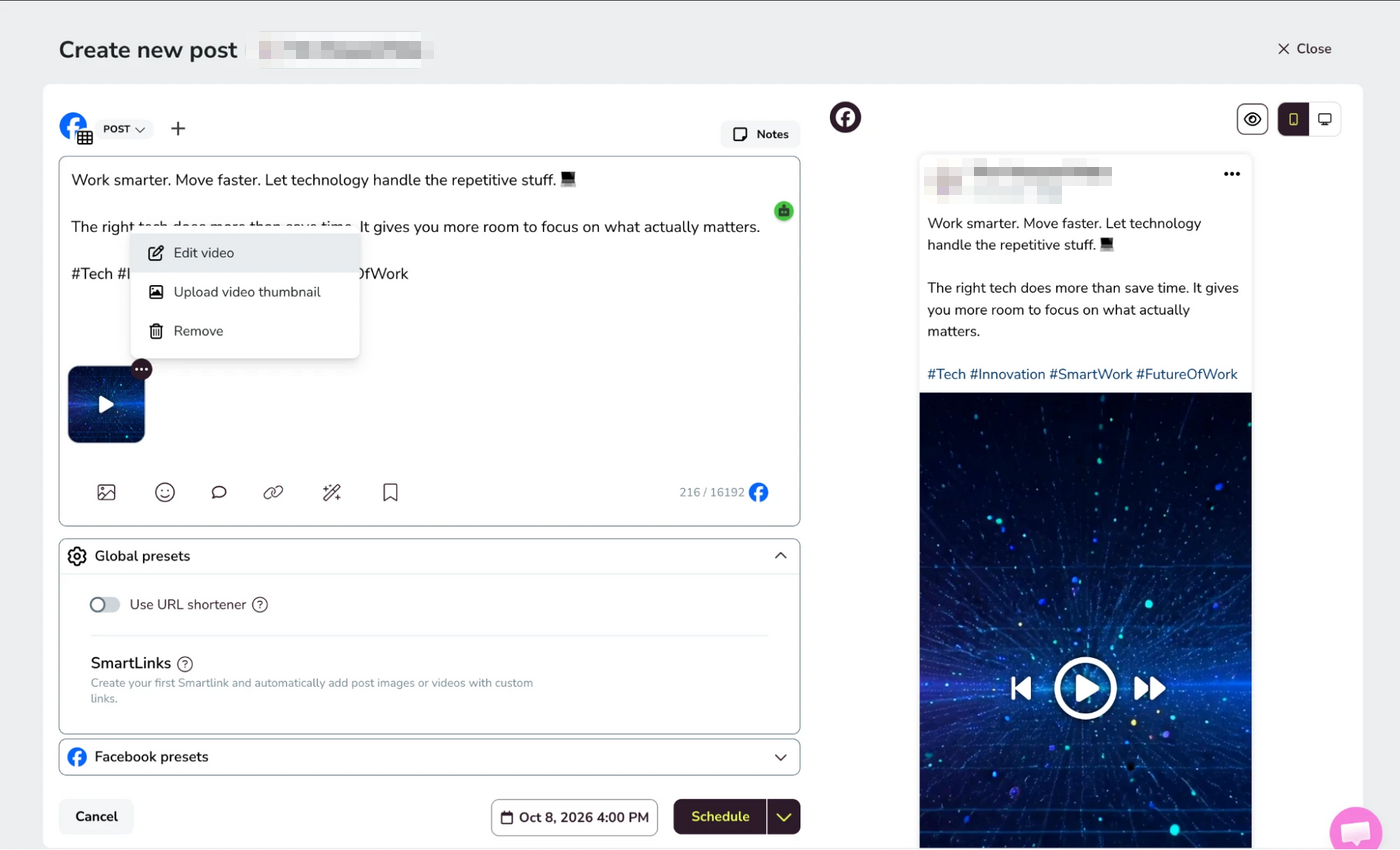
I would still use a dedicated editor for heavier production, but for quick social fixes, being able to adjust the clip without leaving Metricool removes another handoff.
The AI Draft Was Fast, but It Still Sounded Like a Draft
I moved to the AI assistant when the post still needed a caption. I entered the topic, tone, language, and target network. The first result arrived as a complete caption, followed by controls to shorten it, change the structure, add emojis, or add a call to action.
The speed was helpful, but the draft still needed editing. I checked the brand details, claims, and wording before using it. Clear tone instructions improved the result. A vague prompt gave me polished copy, but it did not give me a caption I would send to a client without editing.
The brand settings were more useful than I expected. I set an overall writing style, then added separate instructions for each network. That kept one core voice while leaving room for platform-specific copy.
However, Metricool’s public hashtag tool felt less reliable. I entered “food,” pressed Generate, and landed back on the main site without getting a hashtag set. That one failed interaction did not cancel out the in-app assistant, but it showed why I would judge the product from inside the account rather than from a free landing-page tool.
Analytics Changed the Review From Scheduling to Strategy
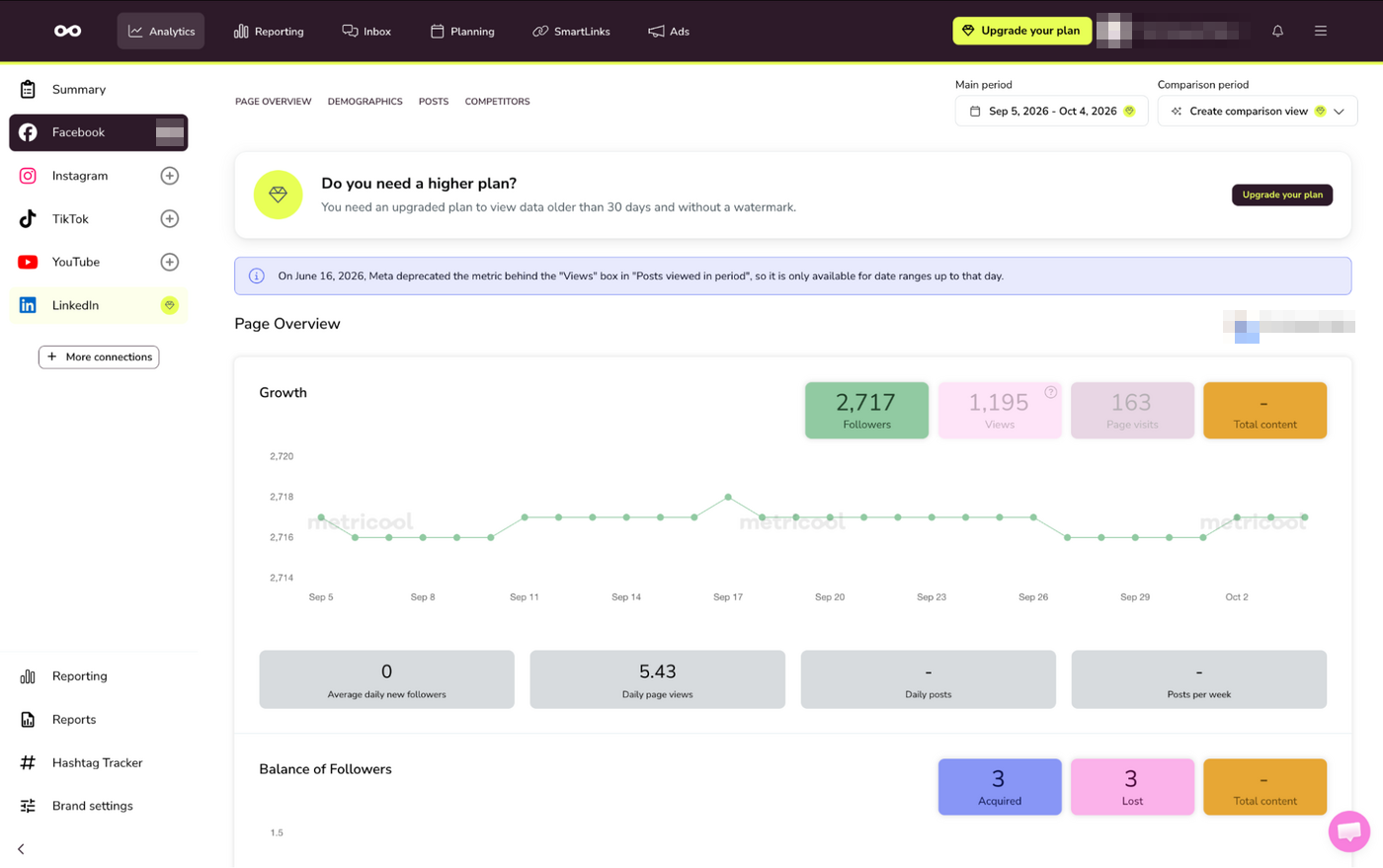
After finishing the publishing flow, I moved into Analytics. The page overview brought growth, reach, content activity, and audience data into one place, while the other tabs opened demographics, post-level performance, and competitor views. I could change the date range and move between network sections without returning to the native apps.
This was the moment Metricool stopped feeling like another scheduler. Planning showed what was going out next, while Analytics showed what had already happened. Reporting then pushed that further with standard reports, campaign dashboards, Metricool Studio, Looker Studio connections, and a separate Hashtag Tracker. In the interface I tested, Hashtag Tracker was listed as an additional €25-per-day feature rather than part of the standard reporting tools.
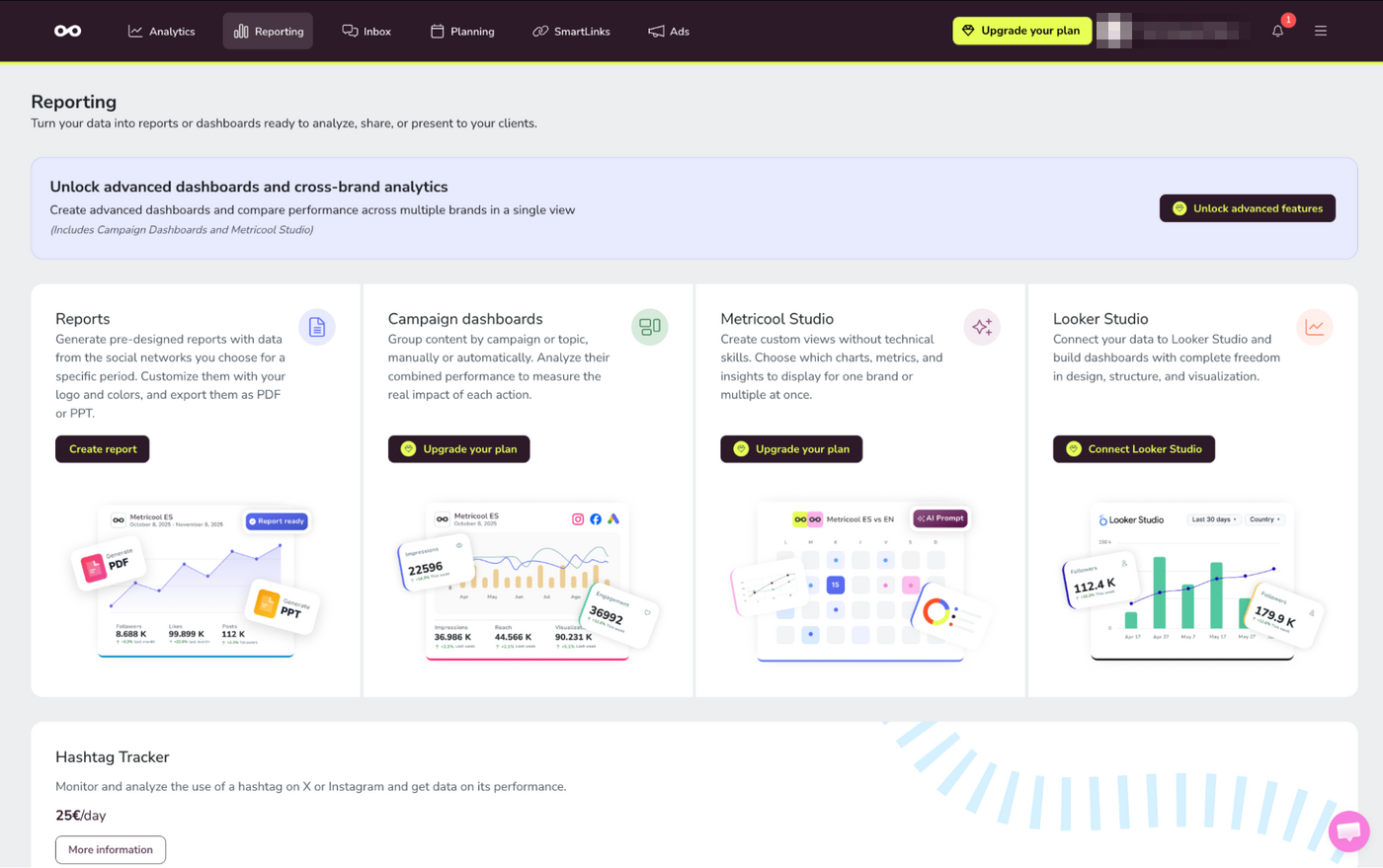
I then opened Metricool Studio in Step by Step mode, previously called Guided mode. I chose the analysis type, date range, brand, networks, and metrics. Metricool built an editable prompt from those choices and generated a view with tables, charts, and written performance notes. Prompt from Scratch, formerly Expert mode, also included templates for competitor analysis and content ideas. Higher plans expand this reporting layer with campaign dashboards, cross-brand analytics, and Looker Studio connections.
The report looked ready at a glance, which is exactly why I slowed down. A chart can show that reach fell, but it may not explain why. I would check every written explanation before sending it to a client.
Sharing the result was simple. Studio created a link that opened without a Metricool account. A relative period such as “this month” also let me refresh the same view without creating a new URL. However, Studio only works with data already inside Metricool. It does not bring in CRM or outside analytics data.
Metricool notes that its Instagram figures may differ from native Insights because the two platforms can collect, group, and display data differently. I did not compare Metricool’s figures with Instagram Insights during this test, so I cannot say how significant those differences are in practice.
SmartLinks Added a Conversion Layer Beyond Scheduling
I had used Metricool’s SmartLinks in client work before, and revisiting the feature made its purpose clearer. SmartLinks work more like customizable microsites than simple shortened URLs. A brand can send people to selected links, social profiles, stores, or other destinations from one page.
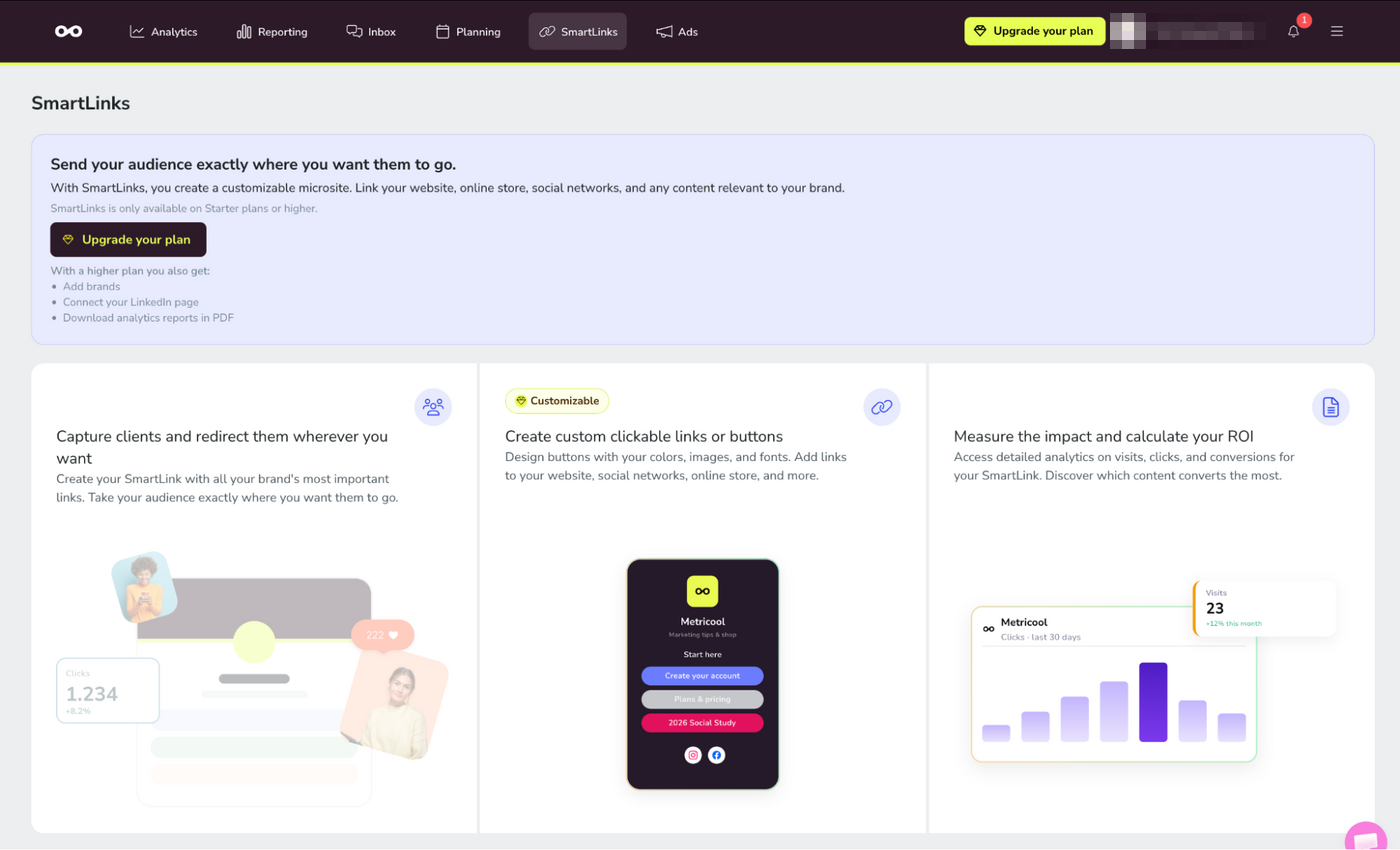
The conversion angle is what separates this from a basic link-in-bio page. Metricool positions SmartLinks as something you can customize, measure, and tie back to performance.
Ads Management Made Metricool Feel Broader Than a Scheduler
I had also used Metricool’s ads area in client work. The platform brings Meta Ads, Google Ads, and TikTok Ads into the same broader workspace so paid campaign performance can sit closer to the rest of the social reporting.
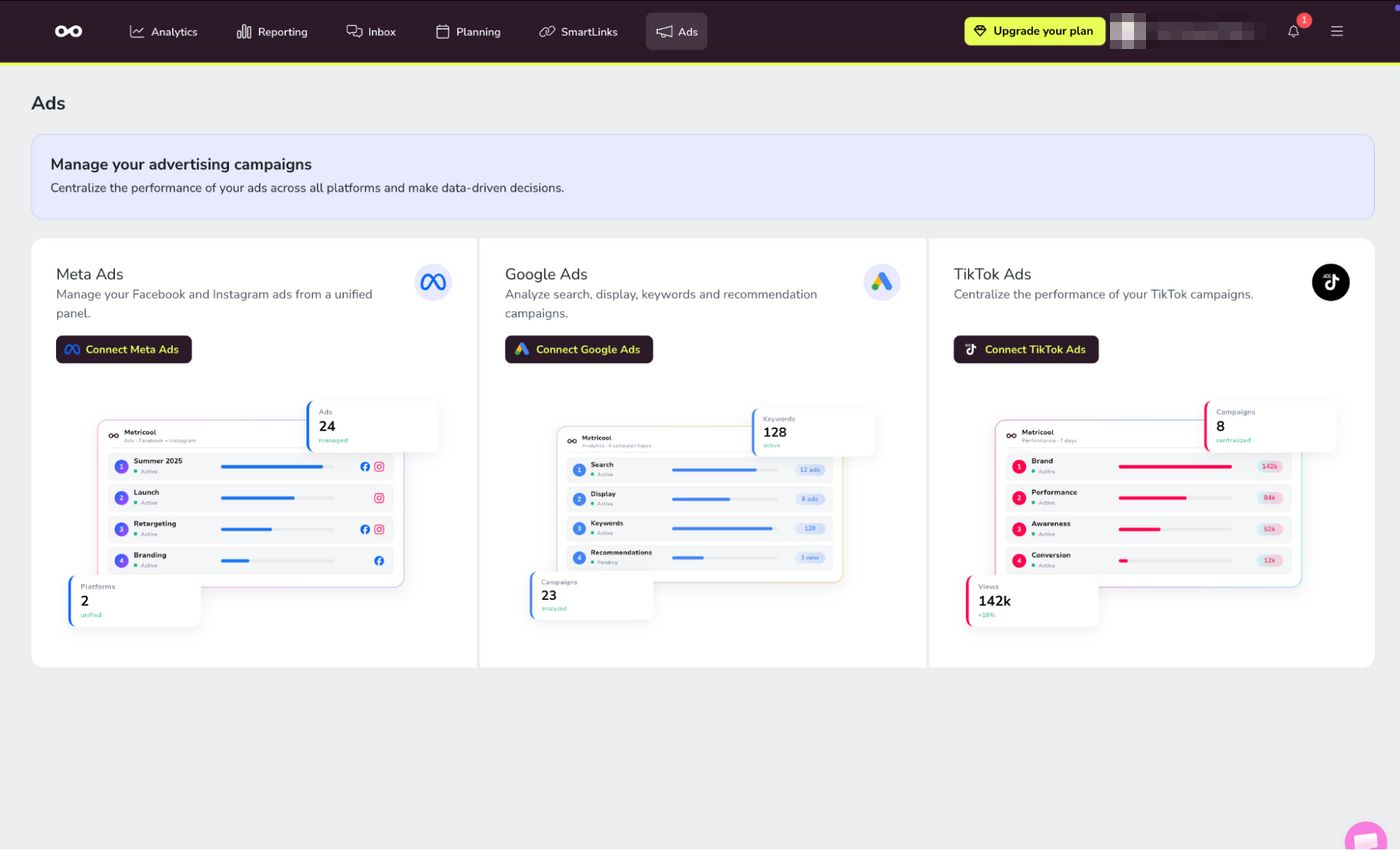
I would not replace a specialist ad platform with it for campaign building, but having those results beside organic analytics is useful when a client wants one view of what social is doing overall.
Team Roles Made More Sense After Testing the Workflow
I checked user management last. By then, I had already seen which parts a client might need to review, which settings a content creator might need to edit, and which data an analyst might need to access. The preset roles include clients, content creators, analysts, editors, and managers.
I also created a custom role and adjusted its permissions. I kept a client in review mode while giving a manager wider control over publishing and connections. However, these controls are available only on Advanced plans, so a growing team needs to factor that cost into the decision.
The Setup Explained the Pricing Better Than the Pricing Page
By this point, the plan structure made more sense. The free plan includes one brand, 20 scheduled posts each month, five competitor profiles, 30 days of analytics, and the AI assistant. It does not include LinkedIn or X connections. Starter begins at $20 per month for up to five brands when billed annually, or $25 month to month, while Advanced starts at $53 a month billed annually and adds more approval, reporting, team, and API features.
The plan name is only the starting point. X connections, Advanced Analytics, regional pricing, and billing terms can change the total. Before paying, I would count every client brand, X profile, team member, approval step, and report I need.
Charging by brand count is not the only way to sell a scheduler. Our deep dive on how Postiz turned free open-source software into a business shows a rival that gives the core product away and charges for the hosted version.
Is Metricool Worth It?
I started with an empty dashboard and ended with a connected workflow for planning, adapting, scheduling, and analyzing content. The small time-savers added up. Google Drive removed an upload step. Saved text reduced repeated caption work. The LinkedIn carousel tool caught a formatting problem. Network warnings stopped an incomplete post before scheduling.
Analytics and Studio still added the most value for client work, but they are no longer the only reason I would use Metricool beyond scheduling. SmartLinks, ads, Flows, and the broader reporting tools make the platform feel closer to a connected marketing workspace. I would still review any AI-written interpretation before sending it to a client.
For freelancers, agencies, and social media managers who handle both content and performance, Metricool brings a lot of the weekly work into one place. It does not replace strategy, but it can reduce how often the team has to leave the platform to plan, measure, report, manage links, monitor campaigns, or automate simple engagement flows.
If you are weighing where social fits in the wider marketing budget, our social media marketing statistics give the bigger picture, and the rest of our Hands-On Reviews follow the same test-it-yourself approach.