Meetings are easy to forget. Remembering what actually happened later can be much harder.
You can have a transcript sitting in front of you and still wonder why a decision changed, which details were agreed on, or what was left unresolved.
That’s what interested me about Grain. It goes beyond recording a meeting by giving you ways to revisit what was discussed and find information from previous meetings.
But what happens when there’s a lot to remember?
I put Grain through conversations with changing decisions, specific figures, corrections, and information spread across multiple meetings. I also tested it with a live recording that was difficult to follow while it was happening.
I wanted to see whether Grain could make sense of those conversations afterward and give me the information I needed when I went back looking for it.
I Put Grain Through Two Types of Messy Meetings
Grain is an AI meeting platform that records conversations and keeps the meeting information available to revisit later. Instead of stopping at a transcript, you can return to a meeting, review its notes, ask questions about what was discussed, and look back at information from previous conversations.
To see how this worked, I tested Grain with meetings that weren’t simple or isolated. I went straight into messy conversations rather than starting with simple ones and gradually increasing the complexity.
A series of six consecutive meetings around the same project, each lasting approximately 10 minutes and recorded using desktop capture. Each meeting had a different agenda, but they all worked toward the same goal. This was meant to test whether Grain could keep track of what happened across the meetings, whether the information could be retrieved accurately enough to use later, and how consistent and reliable it remained across multiple meetings.
A live recording of a meeting about a warehouse expansion and a packaging supplier. The conversation was deliberately messy, with several figures, corrections, conflicting information, and decisions that were still unresolved. This test focused on how Grain’s meeting bot handled a fast-moving conversation in real time and how quickly it could turn that conversation into something useful afterward, including the transcript, AI notes, and action items.
It wasn’t just about checking whether Grain could record a meeting or how accurate its AI notes were. I wanted to see whether these features could actually be useful for the kind of messy conversations teams deal with every day, whether they work in a small business or a larger company.
Grain Remembered the Project Better Than I Expected
The first thing I wanted to test was whether Grain could actually remember what happened across those meetings.
I started with a simple question: What problem were we originally trying to solve?
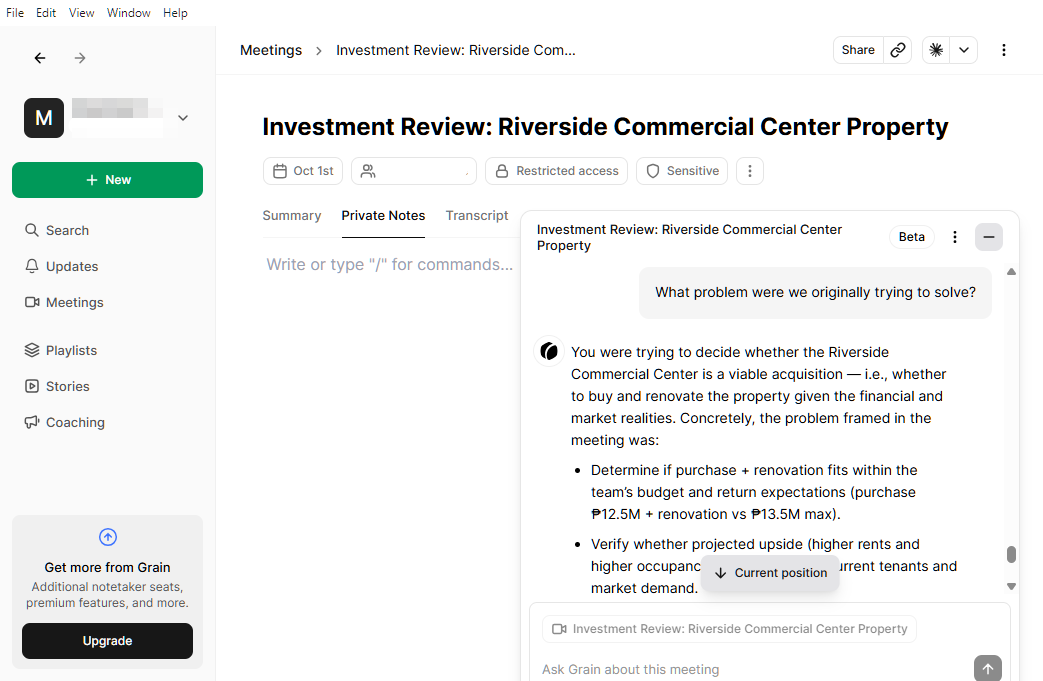
Grain pulled together the original context, including the checkout abandonment at the delivery-information step and the confusion around shipping costs. It didn’t just point me back to a recording. It gave me an answer based on what had been discussed.
I then asked about specific decisions, including what happened with the shipping price and why the payment provider wasn’t changed. Grain was able to follow how those decisions developed as the project moved forward.
This was where the feature became more useful than simply having a transcript. I could ask about something discussed earlier without opening each recording and searching through the conversation myself. It also picked up on what was still unresolved. When I asked what remained to be decided, Grain could tell apart the decisions that had already been settled and the issues that were still open.
That made the six meetings feel connected. Grain could bring information from different points in the project together, which made it much easier to revisit what had happened and why.
It Could Follow the Conversation, But Exact Details Slipped
Grain’s ability to connect the meetings was useful, but that didn’t mean every answer was perfectly reliable.
When I asked about specific figures, some were not accurate. There were also times when numerical information was interpreted incorrectly.
These were not problems with the overall context. Grain could still understand what the conversation was about and connect the right discussion to the right topic. The issue was the precision of some of the details.
Exact figures have tripped up an AI note-taker in our Hands-On Reviews before. In our tl;dv review, the AI notes left out figures that were sitting in the transcript. Grain’s answers did include the figures, but some were wrong, which is harder to catch than a gap.
That difference matters when you’re using an AI meeting tool for more than general summaries. If you’re trying to remember why a decision was made, Grain can be helpful. But if you’re relying on it for an exact figure, price, metric, or other important detail, I would not treat the AI answer as the final source without checking the original conversation.
In simpler terms, manual checking is still needed when the details matter.
The Meeting Was Messy. The Notes Weren’t.
The live recording gave me a different kind of test.
Unlike the previous meetings, this conversation moved quickly between topics, with figures being mentioned, corrected, and compared while other decisions were still being discussed. It was difficult to keep track of everything as the conversation unfolded.
After the meeting, Grain gave me something much easier to work with. The transcript, the AI notes (the summary), and the action items pulled the discussion into separate pieces, which made it easier for me to see what was discussed, what still needed clarification, and what was still unresolved.
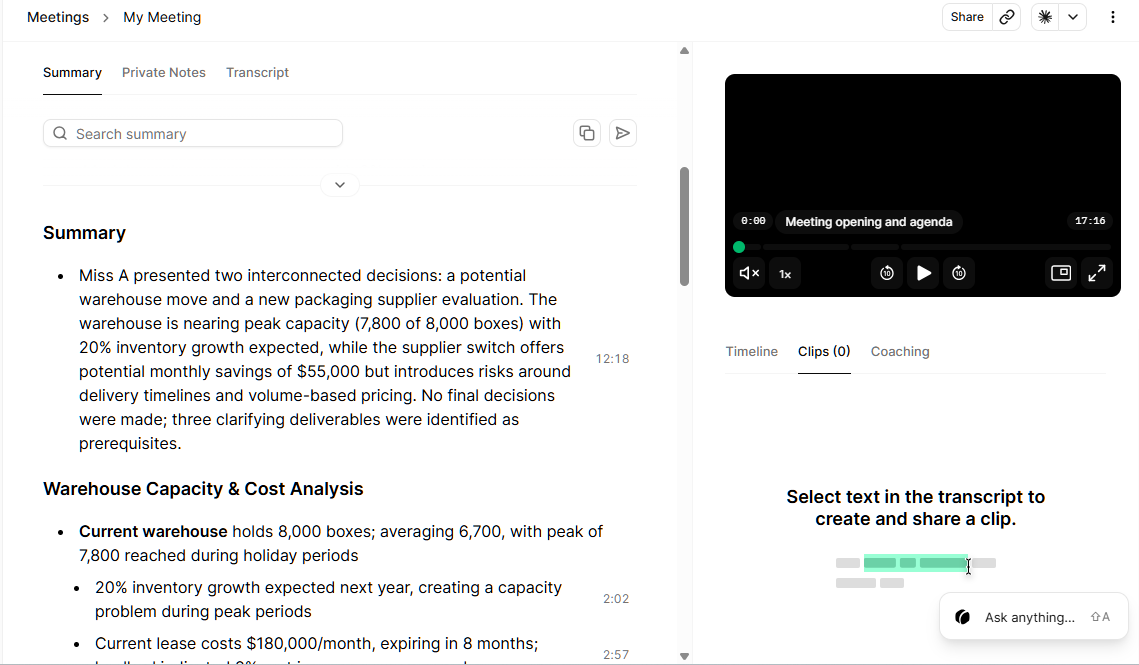
That was the useful part. Grain didn’t make the conversation itself less messy, but it made the information much easier to work through afterward.
The Real Value Was in What Came After
The more I asked Grain about the meetings, the more I noticed that it was not always simply retrieving what had been said.
Sometimes, it also brought up open questions related to the meeting. These weren’t necessarily decisions or conclusions from the conversation. They were more like points that Grain identified as still needing clarification.
In my test, I found this very useful because it gave me another way to look back at the discussion and see what might still need attention. At the same time, I treated these as AI-generated prompts rather than confirmed decisions. Whether to act on them or leave them unresolved is still up to you.
Aside from that, there were also a few smaller issues I noticed along the way. Speaker detection wasn’t always accurate. Even though the conversation involved only two people, the transcript sometimes showed a third speaker.
These issues didn’t make the meeting output unusable. They were more of a reminder that the transcript and AI-generated information still need some attention when accuracy matters.
Privacy and Consent Put More Responsibility on the User
Privacy was another part of the testing that caught my attention.
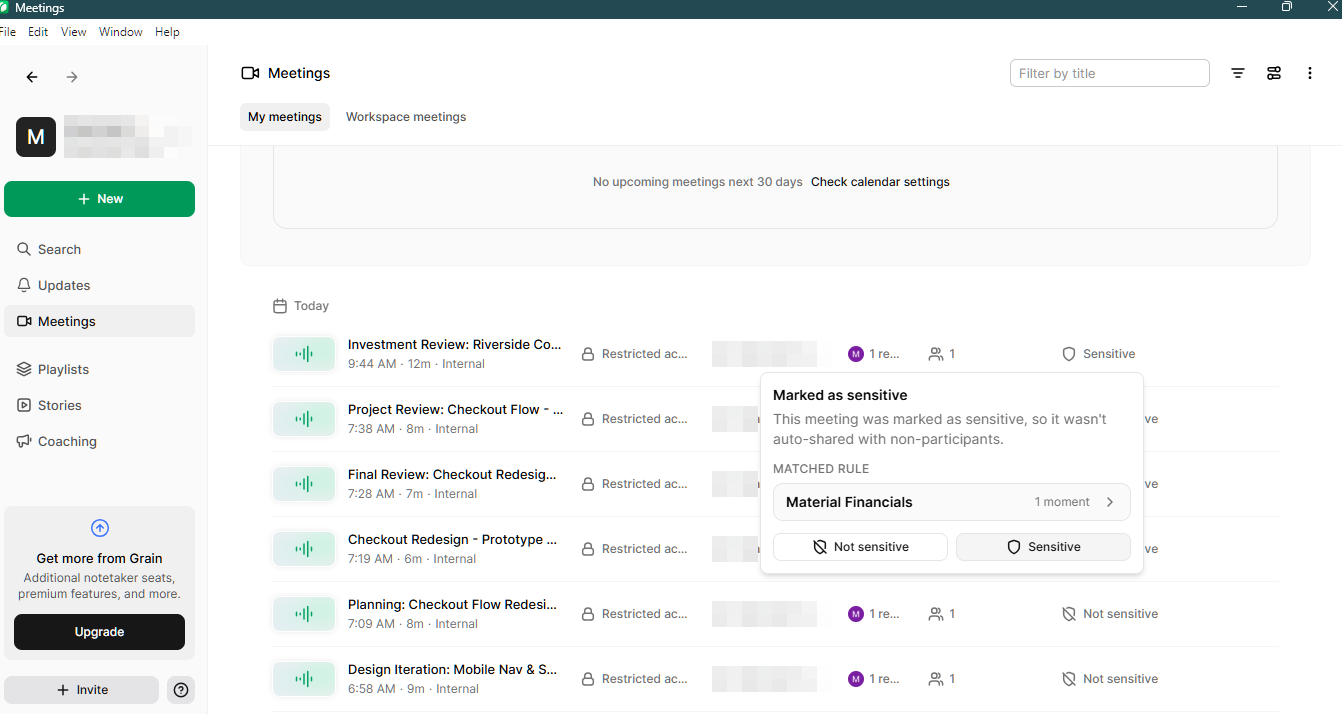
During the live recording, Grain flagged the meeting as sensitive. Since the conversation included several figures, I could mark it as not sensitive, but the experience made me look more closely at how Grain handles meeting information.
From the documentation, there are several ways to control what happens to your recordings and transcripts. Meetings can be shared with specific people, workspace members, or through a link, and transcripts can also be downloaded or sent to other tools.
What stood out to me was that Grain gives you a lot of control over these options rather than making the decision for you. Desktop recordings are private by default, but you decide whether and how they are shared.
The same applies to consent. Grain’s documentation makes it clear that the person recording is responsible for informing participants and obtaining the appropriate consent. For bot recordings, participants can see the Grain bot, but consent requirements still depend on the location and applicable rules.
So, for me, privacy with Grain feels less like a locked-down system and more like a set of controls that you are expected to manage yourself. You can share the recording, download the transcript, or keep the meeting private, but those choices ultimately remain with you.
The Free Plan Gives You a Lot to Work With
I tested everything in this review using Grain’s free plan, and there was already quite a lot available without upgrading.
That was not the case in our review of Fireflies.ai, where the free plan was enough to get started but not enough to test the tool properly.
The main limitation I noticed was meeting length. The free plan works well for shorter meetings, but the limits become more noticeable when you’re dealing with longer conversations. File uploads also require a paid plan, which meant I couldn’t use that feature to bring longer recordings into my testing.
According to Grain’s pricing page, the Free plan allows unlimited meetings with a 45-minute limit per meeting and 30 days of meeting history. Importing audio and video files starts on the Starter plan, at $15 per seat per month billed annually or $19 billed monthly, which also removes the meeting-length and history limits.
Aside from those limitations, the interface was pretty simple, neatly organized, and easy to understand at first glance.
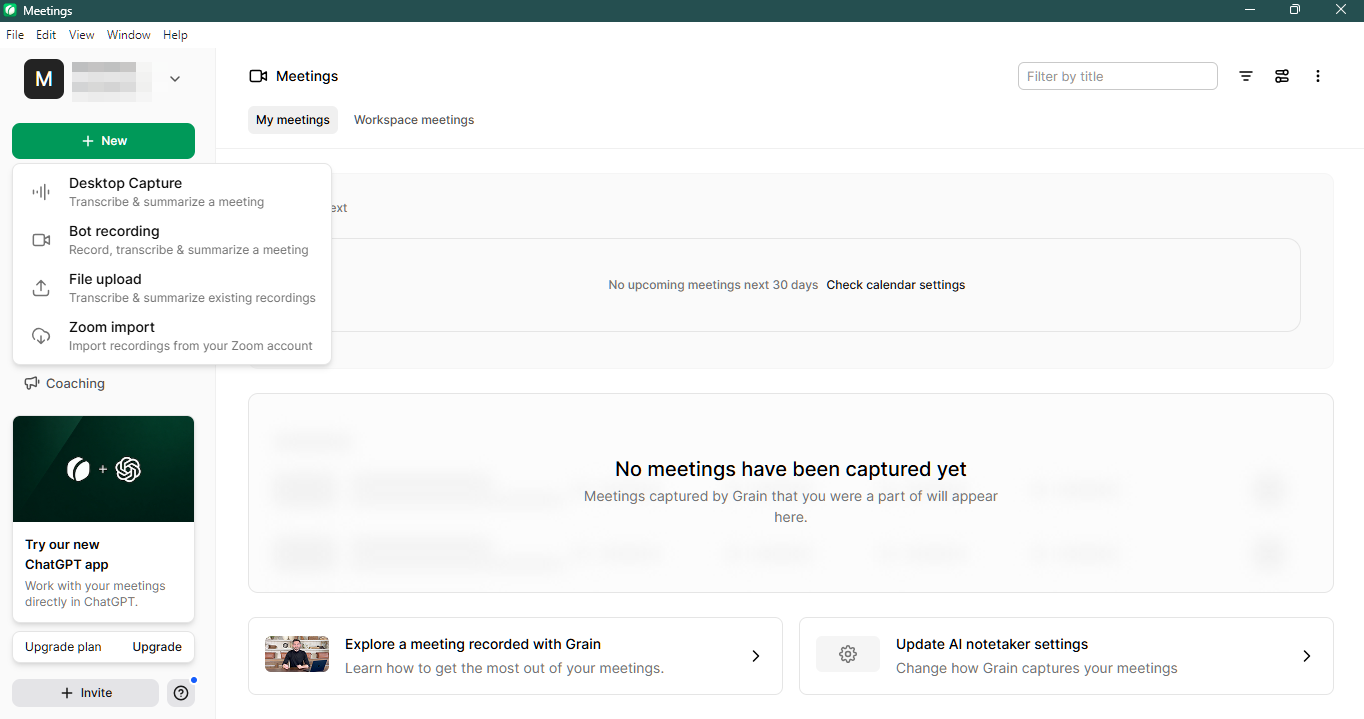
Grain also gives you ways to turn meeting recordings into clips and stories, while playlists can help organize content from multiple meetings. I could see the playlist feature being particularly useful if you’re dealing with a lot of recordings and want to keep related meetings together.
There are also several features that become available when you upgrade. File uploads are one example, along with other premium features that aren’t available on the free plan.
For my testing, though, I didn’t feel like I was missing the core Grain experience. The free plan gave me enough access to test recording, transcripts, AI notes, AI Ask, and the other features I needed for this review.
The lack of file uploads did limit what I could test with longer recordings, but considering how much is already available for free, the restrictions felt more like boundaries around heavier use than a barrier to trying the platform.
A Simple Tool That Gives You Room to Explore
After testing Grain across different kinds of meetings, I came away with a fairly simple takeaway: it can make meetings much easier to revisit later, especially when the original conversation was messy.
What I liked most was the way its AI notes could take a conversation that felt scattered while it was happening and turn it into something much easier to work through afterward. AI Ask also made it easier to go back to earlier discussions and find information without having to search through every recording myself.
It’s not perfect. Important figures and other specific details still need to be checked, and some of the AI-generated information can require a closer look. But I don’t think that takes away from the basic idea behind the platform.
I also liked how much room Grain gives you to explore. I didn’t feel like I had to upgrade immediately just to understand what the platform could do. The free plan gave me enough to record meetings, try the AI features, and figure out how they could fit into my own workflow.
That simplicity is part of what makes Grain worth trying. It doesn’t force you into a complicated way of managing meetings. You can start with the features you need, explore what works for you, and decide from there whether you need more.
For me, Grain works best as a meeting-memory tool. It can make the process of remembering, reviewing, and making sense of your meetings much easier.