How I Tested Dovetail
Dovetail is a research tool. It brings information from different sources together so you can find patterns. I wanted to know whether it could do more than summarise each source one at a time, so I gave it two very different piles of material.
Dovetail’s free plan allows only one project, so I ran the two tests in sequence. For the first, I picked a current, widely discussed consumer product and gathered ten sources about it: five audio recordings of more than ten minutes each, a video of about twenty minutes, and four written reviews. I approached them from two sides. As a consumer, I wanted to know whether the product was worth buying. As a researcher, I wanted to see whether what people said could become feedback for the company.
The product itself was only sample material. What I wanted to know was whether Dovetail could answer both questions from the same sources.
Then I cleared the project and gave it something harder: five open-access research papers, plus notes containing the abstracts of three related ones. No recordings, no reviews, only research. I used the same approach both times, uploading the sources and then using Dovetail Chat to look across them. The paid security and data-management controls I did not test, and where this review rests on Dovetail’s documentation rather than my own session, it says so. Every screenshot is from my own session.
It Found the Patterns Across Ten Sources Without Me Reading Each One
Dovetail gave me a starting point instead of making me start from every transcript. AI Notes showed the main points first, so I spent less time hunting through recordings and more time on what the findings meant.
Those points were not random. Features, performance and design kept recurring across the sources, which gave me a clearer picture of what people were actually talking about. Dovetail also did not force every source into the same conclusion. Where opinions differed, I could see it, and those differences were useful because they showed that one conclusion did not represent everyone.
From there I could ask a narrower question without going back through the recordings, and each answer was connected to the sources behind it so I could check where it came from.
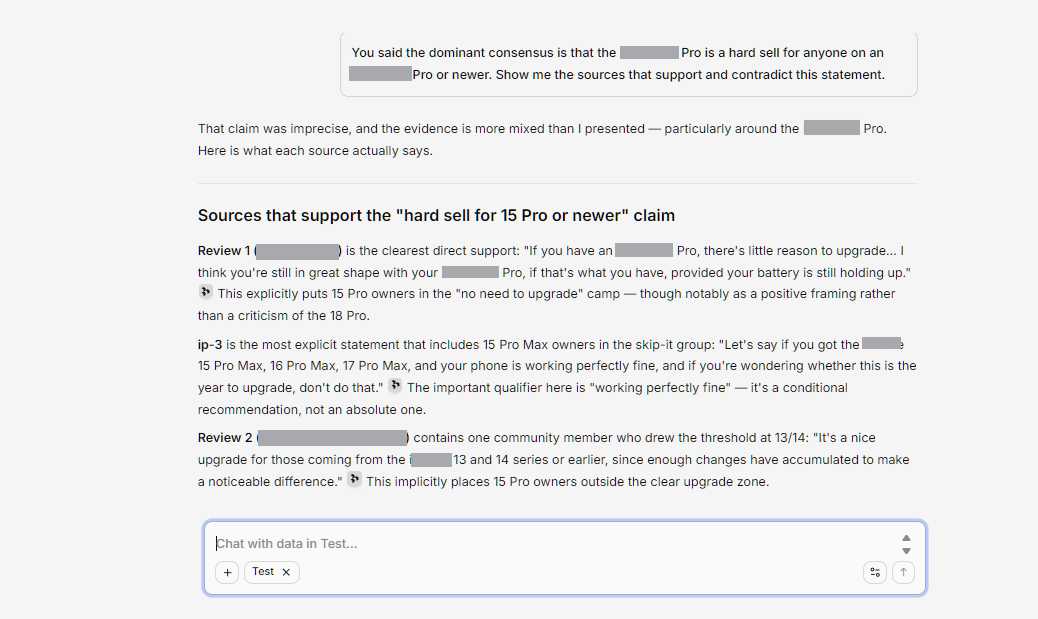
The clearest example came when I questioned one of its conclusions. Dovetail had decided that upgrading was a hard sell for anyone already on a recent model, including one several generations old. That read like an overgeneralisation, so I said so, and it went back through the sources and corrected itself.
The revised answer was more specific. It still held firmly for owners of the newest previous model, but owners of an older one landed in a grey zone rather than a clear yes or no. That mattered because I did not have to treat the first answer as final. I could question it, check the sources behind it, and decide whether the revision made more sense.
It Saved Me From Reading Everything, but Not From Checking
Dovetail cut down the reading. It did not cut out the work. Instead of reading every source to find an answer, my process became: ask, check the answer, verify it against the sources, then decide whether the conclusion held.
A broad question gave a broad answer, and it often took a more focused follow-up before the result became useful. Some conclusions sounded reasonable but went further than the sources supported, and I only caught that by going back to check. The time saved by not reading every transcript went partly into that verification.
Deciding worked the same way. Battery life showed why: people in the sources were split by how hard they used the device, so there was no verdict available, only a question of how I would use it myself. For the company, the same answer showed where heavy use fell short. Dovetail was a faster way to reach the evidence. The judgment about what it meant was still mine.
Research Was Easier to Search, but It Only Knows What You Give It
Research papers normally take me days to work through. What surprised me was how well Dovetail handled the set I gave it. It pulled information from the papers without me searching each document manually, and the results were accurate enough to use as a starting point for comparing them.
It felt like a modern version of a research search engine, with one difference: I was the one supplying the research. Our ChatPDF review looks at a narrower take on the same idea, one document at a time. I could put the papers in and search across them by asking questions, instead of opening each one to find what I needed.
That is also the limit. If the material was not there, Dovetail could not find it elsewhere. I had to be careful how I asked, too, because a vague prompt returned a vague result. For research, that made it useful, but only if I gave it the right material and asked the right questions.
My Video Stayed Queued Until the Last Attempt
Uploading was fast. Transcription was not always. The first audio file took a while. After that I uploaded the remaining files, the documents, and finally the video. The video uploaded as quickly as the audio, then sat on “transcription queued.”
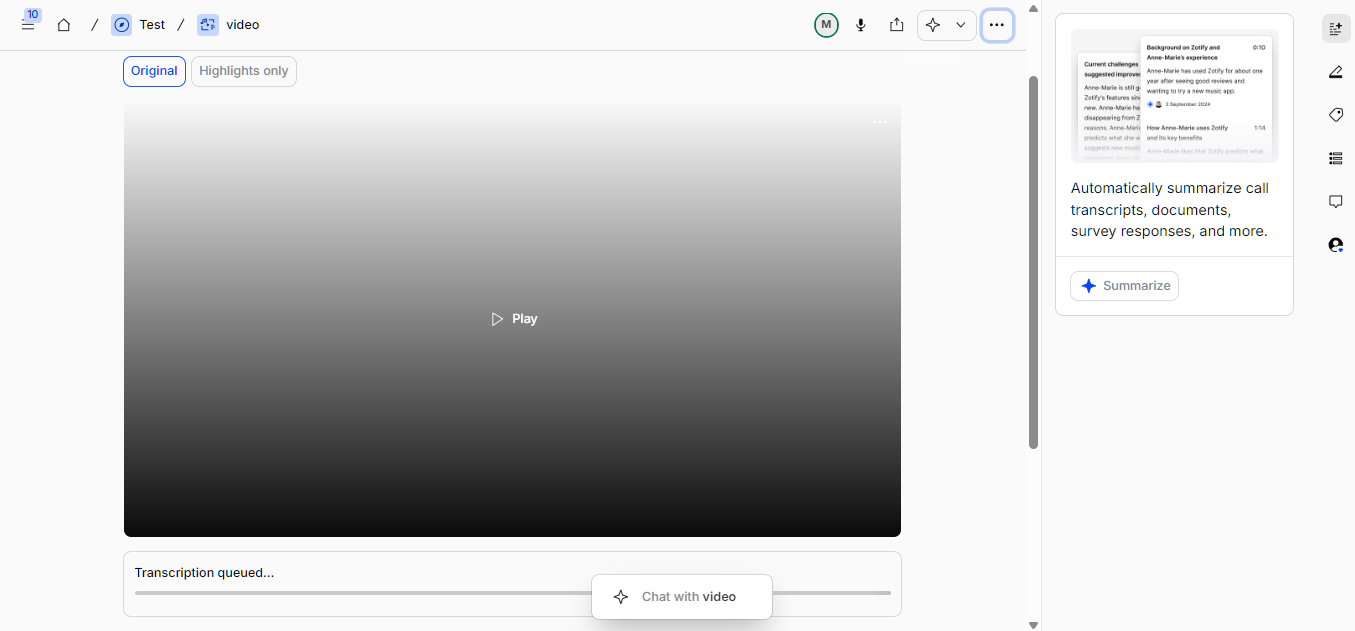
I uploaded the same file again and got the same status. I then tried a shorter video, about three minutes and 4 MB, and it stayed queued too. On my last attempt it went through and transcribed. I do not know why it failed or what changed. Our tl;dv review covers another tool that leans on transcription, where the same step behaved differently.
AI Notes were slow as well, though uploading was not the problem. The delay came when I opened an upload and switched the notes view, from summary to topic for instance, and the text took minutes to finish typing. I cannot tell whether that was my connection or Dovetail.
Highlights Were the Part I Kept Coming Back To
Highlights ended up being my favourite part of Dovetail. Instead of replaying a whole recording or reading a long transcript to find one useful moment, I could go straight to the parts worth keeping.
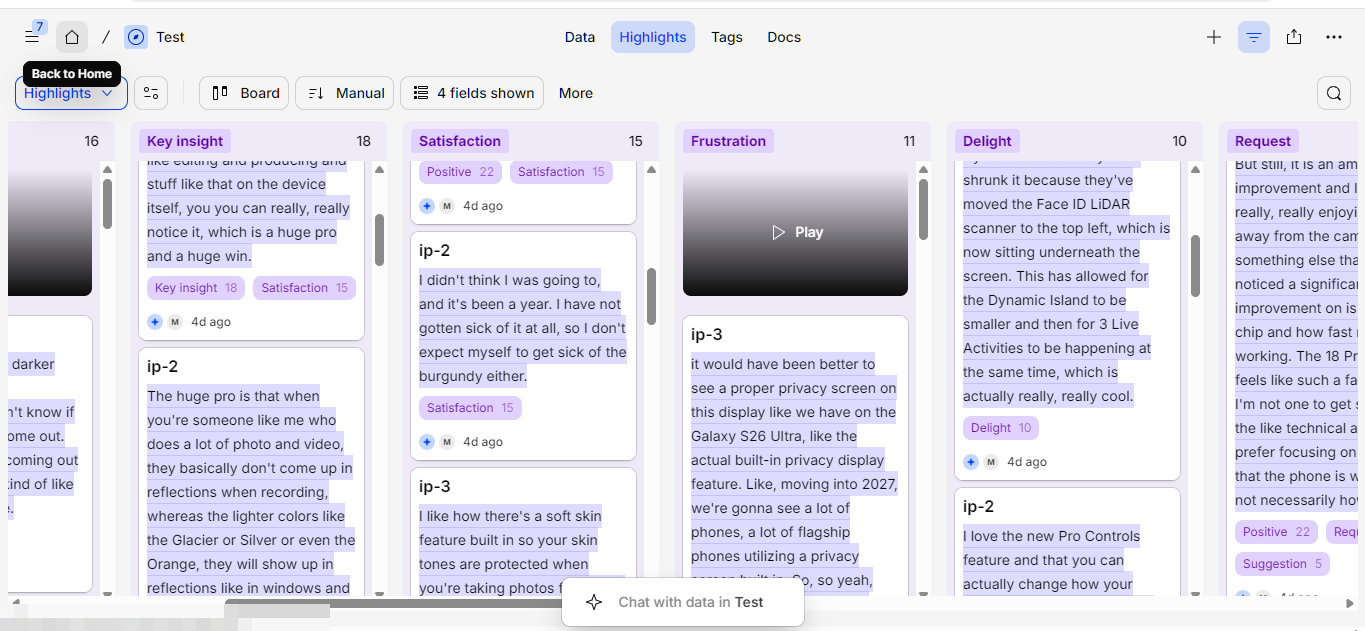
For video and audio, highlights gave me a way to return to the important moments without replaying the recording. Dovetail supports highlights on documents too, so the idea is not limited to conversations.
Tagging made it more useful still. I could add tags manually to classify what I wanted, then group and filter related findings by those tags.
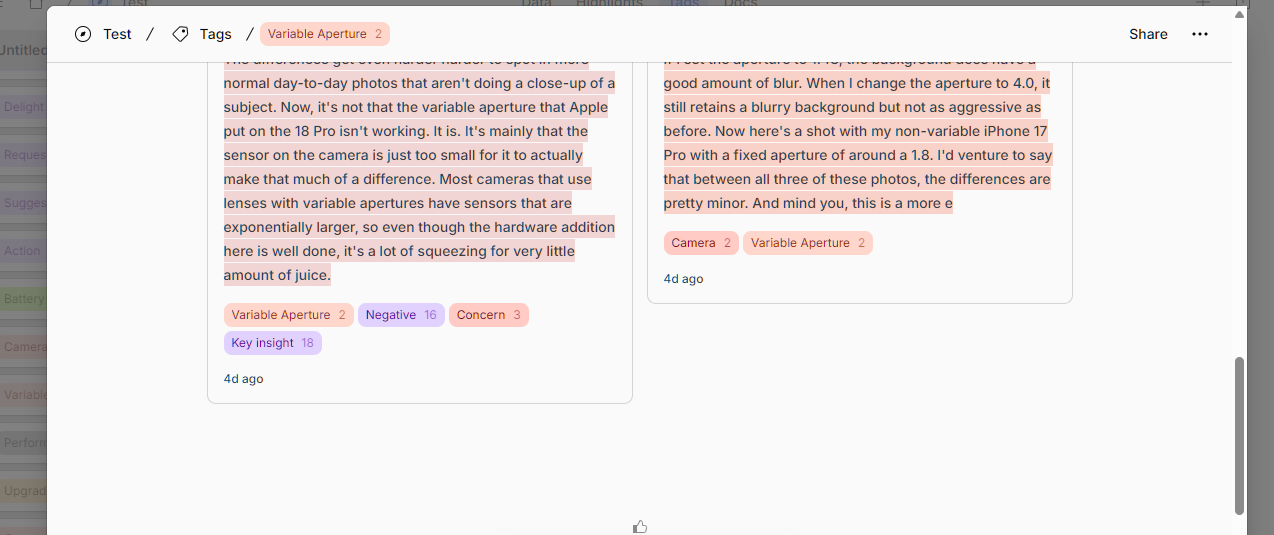
That changed how I worked with the material. I could separate it into themes and return quickly to everything in a given category.
I did run into one limit. Dovetail told me that only notes of 10,000 characters or fewer can be bulk tagged, so for longer notes I had to tag manually, which was inconvenient with long transcripts. That cap is not stated in Dovetail’s public documentation, which lists a maximum note length of 300,000 characters and a limit of 10,000 notes per project, so treat it as what I hit in my own session rather than a published figure.
This was where Dovetail started feeling less like a place to store research and more like a place to work through it. Highlights kept what I wanted and tags gave me a way to classify and filter it.
The Free Plan Let Me Explore It, but Not Enough to Make Me Upgrade
The free plan was enough to understand what Dovetail does. AI Notes, highlights, tags and Chat gave me the core experience without paying. I also felt the limits quickly. With one project, I had to clear the first test before starting the second. That worked for a review, but it would be restrictive with several research projects running at once.
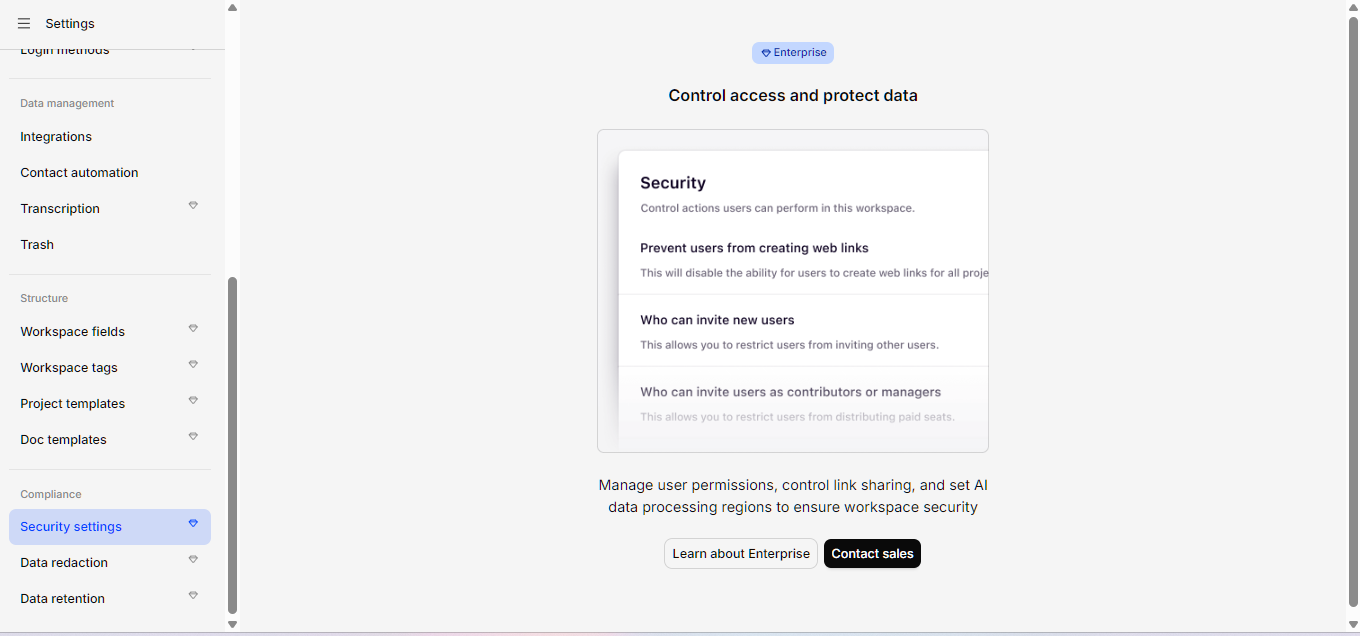
Dovetail reserves its more advanced security and data-management controls for its paid tier. At the time of writing its pricing page lists two plans, Free and Enterprise, with access control, redaction, single sign-on, audit logs and custom data retention on the latter.
That matters because the research I would want to put into Dovetail could eventually include interviews, customer feedback or other sensitive material. My testing did not involve confidential data, so I cannot say how the free plan would feel for that. But I would want stronger control over how such information is handled before relying on it.
The features I used were useful, but the free experience still felt fairly plain. I could see the value in more advanced tools for organising research, and I did not find enough in the free tier to make me upgrade immediately. As a way to explore Dovetail and decide whether it fits a workflow, it works well. I just would not pay for it yet.
It Can Take Research Further, but Trust Still Comes First
Dovetail surprised me with how much easier it made working across different sources. It does not take long to learn, and it did more than I expected once I started bringing material together.
What I liked most is that it did not give me one answer and stop. I could question a finding, dig further, and trace the answer back to its source. Did the pieces fit together? For the most part, yes. But Dovetail still needed me to decide what they meant.
Usefulness and trust are two different things. My testing was limited, so I would not assume the same results for every workflow. Dovetail got me to the information faster, but I still had to verify what it found, organise the material and decide what mattered. For sensitive research I would be more careful about what I put in and what controls I need around it.
So would I use Dovetail? Yes, with caution. For students, designers, marketers, researchers and anyone who regularly works with interviews, feedback or papers, the value is clear. Dovetail makes digging easier. I am just not ready to let it make the final call. Taking research beyond the first answer only helps if you can trust what comes after it.